Chart position — tracked daily by LaunchShots
Screenshot style breakdown
Sampled from 5 of 宿題スキャナー:筆跡が消えるアプリ's App Store screenshots — background, accent and theme, measured by LaunchShots (not something Apple publishes).
#F4F4FC bg
#D6D6DD
#4C74F4 accent
#111111 text
Reading the caption text from the screenshots in your browser…
Screenshots


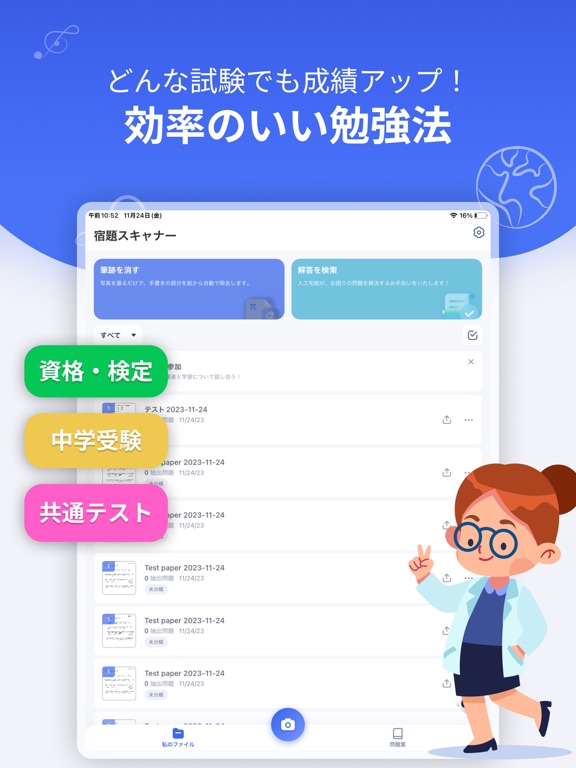
iPad screenshots


Icon palette
About this app
学習効率を最大化し、宿題の整理を合理化し、試験準備を簡単にする最も賢いアプリです!Homework Scannerは、単に宿題をスキャンするだけでなく、それを変革します。手書きのノートを消去し、数学の問題の詳細な答えを取得し、ミスを整理して集中的に復習することが、ほんの数タップで可能です。親御さんもこのツールを利用して、子供たちの問題解決や宿題のサポートをより簡単に行うことができます。 主な機能: ◆AI駆動のスキャン - 手書きの除去: 手書きの内容やグラフィックスを素早く取り除き、新鮮な練習シートや学習資料を作成します。 - 自動エッジ検出: スキャンした書類のエッジを自動的に認識し、完璧な整列を実現します。 ◆AI問題解決 試験用紙、宿題、教科書のワンクリックスキャンの利便性。 - マルチ科目対応: 複雑な数学方程式から化学の公式、生物学の図、歴史の日付に至るまで、Homework Scannerはさまざまな科目の問題を理解し解決するのに役立ちます。 - ステップバイステップの解決策: 各問題がどのように解決されるかを詳細に見て効果的に学び…
App details
What you can learn from 宿題スキャナー:筆跡が消えるアプリ
Every shipping app on the App Store has gone through the same decisions you're working through right now: which screenshot goes first, what caption sits over it, which device frame to show, what color the background should be. The 10 screenshots above are 宿題スキャナー:筆跡が消えるアプリ's answers to those questions — they're public, they're real, and they made it through Apple's review.
What the numbers say: 宿題スキャナー:筆跡が消えるアプリ runs a mixed light-and-dark set where the background shifts from screenshot to screenshot (first shot #F4F4FC) — each image has to stand on its own, so the captions carry more of the story. The accent colour we picked up, #4C74F4, is the one to reuse for badges, arrows and highlighted words if you borrow this look. Hit Use this style to open the editor with these exact colours and drop your own screenshot in.
Notice the first screenshot in particular. It's the one users see in search results and on the product page, and it's where most apps spend their best caption and tightest design. Look at the proportion of background to phone, where the text sits, what one thing the image is trying to communicate.
Want to see how other Education apps approach the same problem? Browse more Education apps in the showcase.
Take what works into your own screenshots
Open LaunchShots and design your App Store & Google Play screenshots — pick a device frame, drop captions, ship in minutes. Free, in your browser.
Open the screenshot editor →Apps with a similar look
Closest background + accent colours among the listings we've analysed — useful when you want to see the same palette handled by a different team.