Chart position — tracked daily by LaunchShots
Screenshot style breakdown
Sampled from 4 of 校园集市's App Store screenshots — background, accent and theme, measured by LaunchShots (not something Apple publishes).
#FCFCFC bg
#DDDDDD
#2C545C accent
#111111 text
Screenshots


Icon palette
About this app
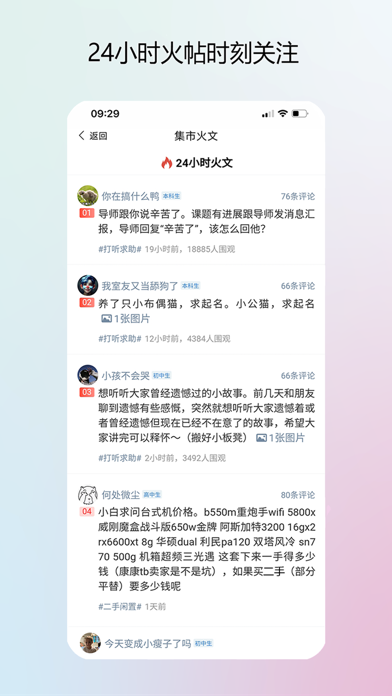
校园集市,来这里的都是同学。 1. 校园生活的各种问题都可以在这里跟同学交流;搜什么问题都有答案; 2. 简单好用的课表:手机桌面显示课表组件; 锁屏界面显示课表;苹果手表看课表; 3. 选课评价:帮你找到最夯的课程; 4. 跑腿代办:找同学帮你做事,超靠谱; 5. 找家教:真实的家教信息,不踩坑; 6. 二手交易:校园线下交易,信任又及时。 校园认证,让校园社区更纯。 没有大V、没有网红,回归最朴实的同学交流。
App details
What you can learn from 校园集市
Every shipping app on the App Store has gone through the same decisions you're working through right now: which screenshot goes first, what caption sits over it, which device frame to show, what color the background should be. The 4 screenshots above are 校园集市's answers to those questions — they're public, they're real, and they made it through Apple's review.
What the numbers say: 校园集市 runs a light set where the background shifts from screenshot to screenshot (first shot #FCFCFC) — each image has to stand on its own, so the captions carry more of the story. The accent colour we picked up, #2C545C, is the one to reuse for badges, arrows and highlighted words if you borrow this look. Hit Use this style to open the editor with these exact colours and drop your own screenshot in.
Notice the first screenshot in particular. It's the one users see in search results and on the product page, and it's where most apps spend their best caption and tightest design. Look at the proportion of background to phone, where the text sits, what one thing the image is trying to communicate.
Want to see how other Social Networking apps approach the same problem? Browse more Social Networking apps in the showcase.
Take what works into your own screenshots
Open LaunchShots and design your App Store & Google Play screenshots — pick a device frame, drop captions, ship in minutes. Free, in your browser.
Open the screenshot editor →Apps with a similar look
Closest background + accent colours among the listings we've analysed — useful when you want to see the same palette handled by a different team.