Chart position — tracked daily by LaunchShots
Screenshot changes — detected by LaunchShots
Screenshot style breakdown
Sampled from 6 of WOWPASS: キャッシュレスで韓国旅行's App Store screenshots — background, accent and theme, measured by LaunchShots (not something Apple publishes).
#140C6C bg
#342E80
#FC5424 accent
#FFFFFF text
Screenshots



Icon palette
About this app
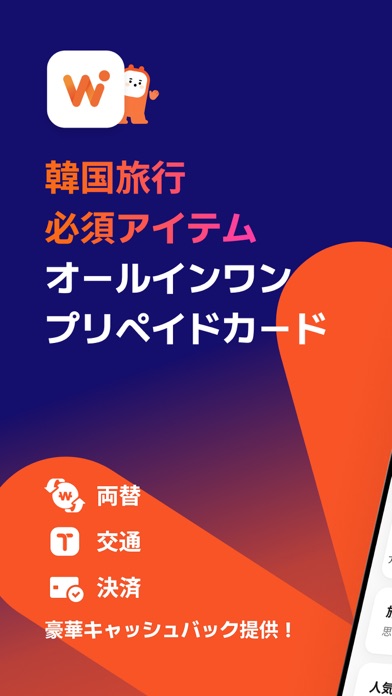
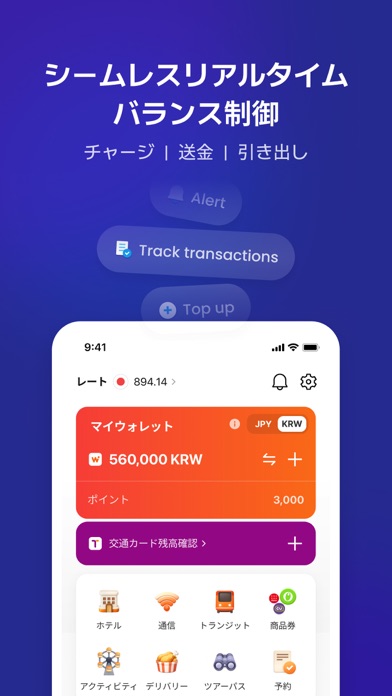
[韓国人と同じように決済できる!] WOWPASSは、外国人が韓国旅行で経験する両替/現金決済/クレジットカード/交通カードのすべての不便さを一度に解決するAll-in-Oneカードです。 ●WOWPASS利用ガイド - WOWPASSサービス紹介やカード発行方法などの詳細な利用ガイドをご用意しています。 ● WOWPASS空港セット(WOWPASSカード+SIMカード+Tmoney)事前予約機能 - アプリから事前にWOWPASSセットを割引価格で予約して韓国主要空港で入国時にすぐに受け取ることが出来ます。 ●カード残高確認 - WOWPASSカードをアプリに登録すると、カードにチャージしたウォン残高を確認できます。選んだ通貨に換算して一緒にご覧いただけます。 ● Tmoneyカード残高確認 - WOWPASSカードにTmoney残高がどのくらい残っているか確認することができます。 ●カード利用時のリアルタイム通知 - カード利用時にはアプリのプッシュ通知で正確な決済金額とカード残高をリアルタイムで確認できます。 ●カード利用履歴照会 - カード利用履歴を利用時間順に確認し、レストラン/カフェ/コンビニなど…
App details
What you can learn from WOWPASS: キャッシュレスで韓国旅行
Every shipping app on the App Store has gone through the same decisions you're working through right now: which screenshot goes first, what caption sits over it, which device frame to show, what color the background should be. The 8 screenshots above are WOWPASS: キャッシュレスで韓国旅行's answers to those questions — they're public, they're real, and they made it through Apple's review.
What the numbers say: WOWPASS: キャッシュレスで韓国旅行 runs a dark set where the background shifts from screenshot to screenshot (first shot #140C6C) — each image has to stand on its own, so the captions carry more of the story. The accent colour we picked up, #FC5424, is the one to reuse for badges, arrows and highlighted words if you borrow this look. Hit Use this style to open the editor with these exact colours and drop your own screenshot in.
Notice the first screenshot in particular. It's the one users see in search results and on the product page, and it's where most apps spend their best caption and tightest design. Look at the proportion of background to phone, where the text sits, what one thing the image is trying to communicate.
Want to see how other Travel apps approach the same problem? Browse more Travel apps in the showcase.
Take what works into your own screenshots
Open LaunchShots and design your App Store & Google Play screenshots — pick a device frame, drop captions, ship in minutes. Free, in your browser.
Open the screenshot editor →Apps with a similar look
Closest background + accent colours among the listings we've analysed — useful when you want to see the same palette handled by a different team.