Screenshot changes — detected by LaunchShots
Screenshot style breakdown
Sampled from 6 of 小鸡专注-番茄钟自律学习计时器极简治愈学霸必备's App Store screenshots — background, accent and theme, measured by LaunchShots (not something Apple publishes).
#ECECEC bg
#CFCFCF
#EC9484 accent
#111111 text
Reading the caption text from the screenshots in your browser…
Screenshots


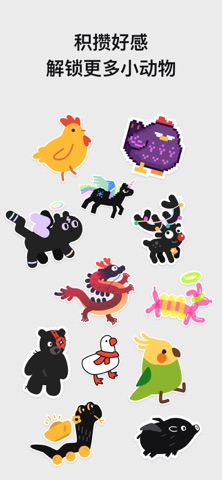

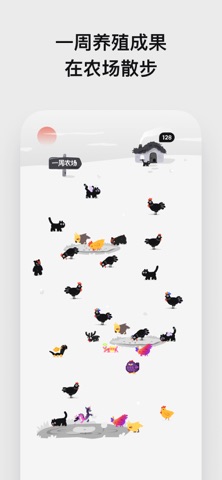


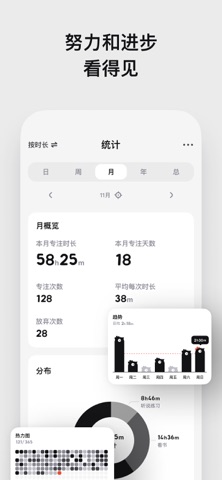
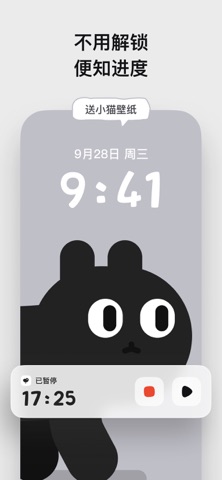

iPad screenshots


Icon palette
About this app
专注从未如此有趣!下载“小鸡专注”,解锁效率新高度! 【月度最佳】【编辑推荐】【效率类·主打推荐】 获得全球 110+ 国家/地区 App Store 精选推荐! App Store官方认可,100万+用户的信赖选择! ##你的专注好伙伴,每次计时都妙趣横生! 【趣味专注】专注时,小鸡会逐渐长大!完成后获得一只成年鸡。如果中途放弃,小鸡就会挂掉-_|| 为了让小鸡成功长大,保持专注吧! 【轻松专注】借助番茄工作法:专注25分钟,休息5分钟,养成无痛自律好习惯!时间支持自定义,满足不同学习和工作需求。 【陪伴专注】解锁超多小动物伙伴!小鸡、小猫、小熊、小鹿,甚至还有气球狗和龙,每次专注都有萌物相伴,治愈你的每一天! 【阻止分心】支持设置应用白名单。专注期间,非学习类App统统禁用,让你全身心投入重要任务。 【悬浮计时器】无论在哪个App,都能随时掌握专注进度,效率始终在线! 【简洁易用】直观的设计,零学习成本,一键开启专注,随时随地进入高效状态! 【功能全面,体验更强!】 -番茄钟/正计时 -阻止分心的白名单 -时间统计&时间轴 -小组件&实时活动 -…
App details
What you can learn from 小鸡专注-番茄钟自律学习计时器极简治愈学霸必备
Every shipping app on the App Store has gone through the same decisions you're working through right now: which screenshot goes first, what caption sits over it, which device frame to show, what color the background should be. The 16 screenshots above are 小鸡专注-番茄钟自律学习计时器极简治愈学霸必备's answers to those questions — they're public, they're real, and they made it through Apple's review.
What the numbers say: 小鸡专注-番茄钟自律学习计时器极简治愈学霸必备 runs a light set with one background colour (#ECECEC) carried across every screenshot — the listing reads as a single poster when the shots sit side by side in search results. The accent colour we picked up, #EC9484, is the one to reuse for badges, arrows and highlighted words if you borrow this look. Hit Use this style to open the editor with these exact colours and drop your own screenshot in.
Notice the first screenshot in particular. It's the one users see in search results and on the product page, and it's where most apps spend their best caption and tightest design. Look at the proportion of background to phone, where the text sits, what one thing the image is trying to communicate.
Want to see how other Productivity apps approach the same problem? Browse more Productivity apps in the showcase.
Take what works into your own screenshots
Open LaunchShots and design your App Store & Google Play screenshots — pick a device frame, drop captions, ship in minutes. Free, in your browser.
Open the screenshot editor →Apps with a similar look
Closest background + accent colours among the listings we've analysed — useful when you want to see the same palette handled by a different team.