Chart position — tracked daily by LaunchShots
Screenshot changes — detected by LaunchShots
Screenshot style breakdown
Sampled from 6 of いちばんやさしい ITパスポート 絶対合格の過去問集's App Store screenshots — background, accent and theme, measured by LaunchShots (not something Apple publishes).
#F4F4E4 bg
#D6D6C8
#7CBC2C accent
#111111 text
Reading the caption text from the screenshots in your browser…
Screenshots


iPad screenshots



Icon palette
About this app
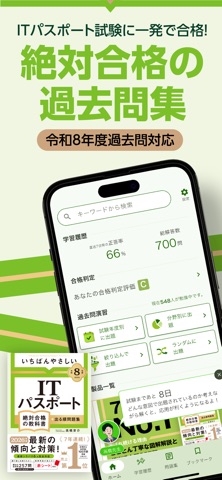
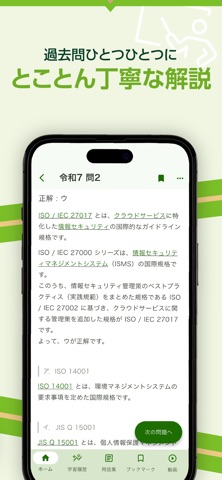
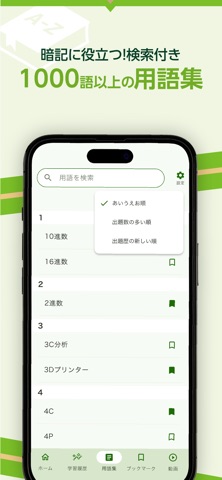
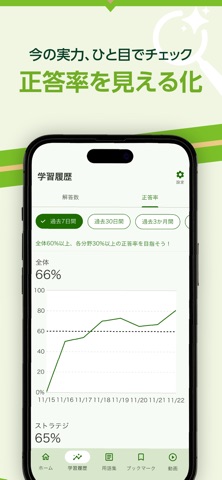
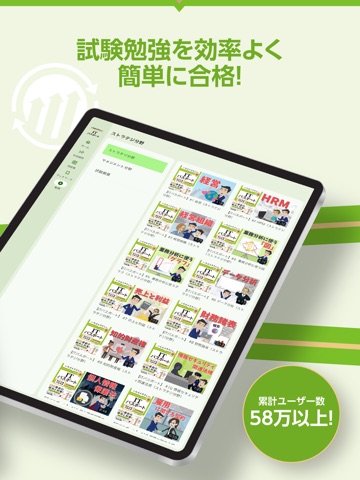
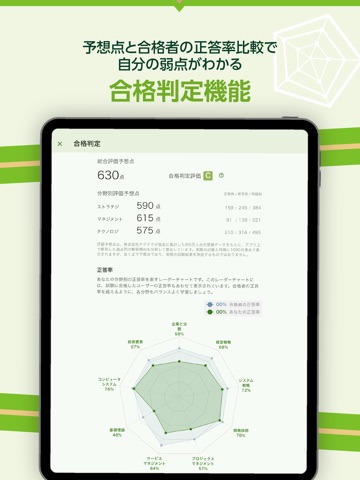
\\ 絶対合格の理由 // 分かりやすい解説が好評の7年連続売上No.1「いちばんやさしい ITパスポート 絶対合格の教科書」の著者が過去問を徹底解説! ■絶対合格への過去問機能! ・1,100問の過去問すべてに徹底解説付き ・みんなは正解してる?他ユーザーの正解率を過去問毎に表示 ・4つの出題形式に対応 ・気になる問題はブックマークして後でチェック ・今の実力を予想点数で確認できる合格判定機能 ・合格者の正答率との比較レーダーチャート表示 ■絶対合格への用語集! ・頻出用語1,000語以上を収録 ・気になる用語はブックマークして後でチェック ■日々の勉強を記録する学習履歴! ・合格ラインに達しているかを確認できる正答率グラフ ・日々の頑張りが確認できる解答数グラフ ■頻出用語を動画で解説! ・累計800万回以上再生されている解説動画を視聴して理解を深めよう! ■その他にも勉強がはかどる機能が満載! ・アカウント連携 ・広い画面でも見やすいタブレットモード ・過去問、用語、動画の検索機能 ・前回の続きから勉強を始められる ・高橋先生か…
App details
What you can learn from いちばんやさしい ITパスポート 絶対合格の過去問集
Every shipping app on the App Store has gone through the same decisions you're working through right now: which screenshot goes first, what caption sits over it, which device frame to show, what color the background should be. The 12 screenshots above are いちばんやさしい ITパスポート 絶対合格の過去問集's answers to those questions — they're public, they're real, and they made it through Apple's review.
What the numbers say: いちばんやさしい ITパスポート 絶対合格の過去問集 runs a light set with one background colour (#F4F4E4) carried across every screenshot — the listing reads as a single poster when the shots sit side by side in search results. The accent colour we picked up, #7CBC2C, is the one to reuse for badges, arrows and highlighted words if you borrow this look. Hit Use this style to open the editor with these exact colours and drop your own screenshot in.
Notice the first screenshot in particular. It's the one users see in search results and on the product page, and it's where most apps spend their best caption and tightest design. Look at the proportion of background to phone, where the text sits, what one thing the image is trying to communicate.
Want to see how other Education apps approach the same problem? Browse more Education apps in the showcase.
Take what works into your own screenshots
Open LaunchShots and design your App Store & Google Play screenshots — pick a device frame, drop captions, ship in minutes. Free, in your browser.
Open the screenshot editor →Apps with a similar look
Closest background + accent colours among the listings we've analysed — useful when you want to see the same palette handled by a different team.