Chart position — tracked daily by LaunchShots
Screenshot style breakdown
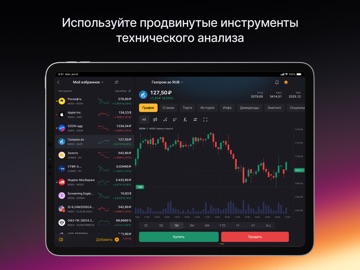
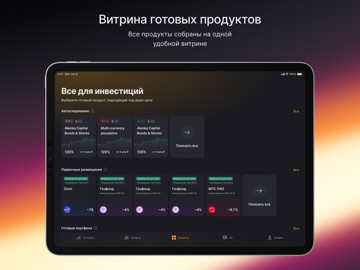
Sampled from 6 of FinamTrade: твои инвестиции's App Store screenshots — background, accent and theme, measured by LaunchShots (not something Apple publishes).
#040404 bg
#272727
#542444 accent
#FFFFFF text
Screenshots


iPad screenshots
Icon palette
About this app
FinamTrade — профессиональный торговый терминал от брокера «Финам». Мы создали удобную среду для управления капиталом, глубокого анализа рынков и совершения сделок из любой точки мира. Это приложение станет надёжным инструментом как для новичков, так и для профессионалов, требующих высокой скорости и технологичности. Оцените возможности флагманского продукта от лидера рынка. Функциональность и комфорт Мы проработали каждую деталь, чтобы ваши инвестиции стали эффективнее: • Интеллектуальный подбор активов. Наши умные подборки и контекстный каталог помогут быстро оценить перспективы акций и облигаций. Скоро станет доступным создание собственных скринеров. • Единая витрина. Мы собрали все готовые инвестиционные продукты в одном месте. Вам больше не нужно искать инструменты по разным разделам — всё под рукой. • Индивидуальные настройки. Установите свой инвестиционный профиль, сдайте тест…
App details
What you can learn from FinamTrade: твои инвестиции
Every shipping app on the App Store has gone through the same decisions you're working through right now: which screenshot goes first, what caption sits over it, which device frame to show, what color the background should be. The 8 screenshots above are FinamTrade: твои инвестиции's answers to those questions — they're public, they're real, and they made it through Apple's review.
What the numbers say: FinamTrade: твои инвестиции runs a dark set where the background shifts from screenshot to screenshot (first shot #040404) — each image has to stand on its own, so the captions carry more of the story. The accent colour we picked up, #542444, is the one to reuse for badges, arrows and highlighted words if you borrow this look. Hit Use this style to open the editor with these exact colours and drop your own screenshot in.
Notice the first screenshot in particular. It's the one users see in search results and on the product page, and it's where most apps spend their best caption and tightest design. Look at the proportion of background to phone, where the text sits, what one thing the image is trying to communicate.
Want to see how other Finance apps approach the same problem? Browse more Finance apps in the showcase.
Take what works into your own screenshots
Open LaunchShots and design your App Store & Google Play screenshots — pick a device frame, drop captions, ship in minutes. Free, in your browser.
Open the screenshot editor →Apps with a similar look
Closest background + accent colours among the listings we've analysed — useful when you want to see the same palette handled by a different team.