Screenshot style breakdown
Sampled from 6 of وفي - Waffy's App Store screenshots — background, accent and theme, measured by LaunchShots (not something Apple publishes).
#0C94E4 bg
#2EA2E7
#64BCEC accent
#FFFFFF text
Screenshots


Icon palette
About this app
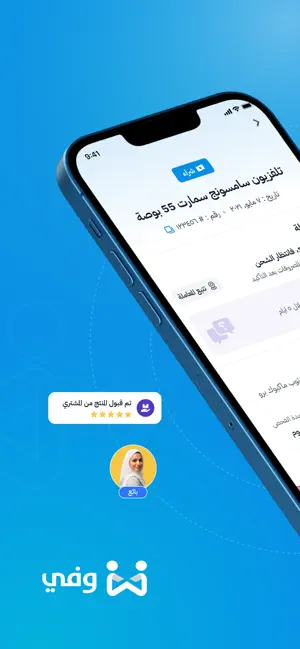
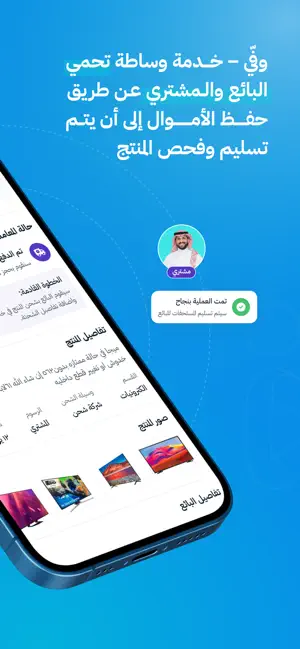
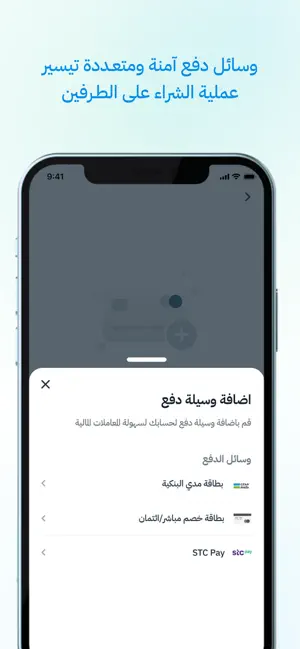
وفّي هو وسيط دفع يبني الثقة بين البائعين والمشترين في كل معاملات الدفع على الإنترنت. يحمي وفّي البائعين والمشترين عن طريق تحصيل الأموال وحفظها إلى أن يتم تسليم وفحص المنتج. يمكنك استخدام تطبيق وفّي كوسيلة دفع للبيع والشراء على منصة حراج، المتاجر الإلكترونية على وسائل التواصل الاجتماعي المختلفة، ومنصة العمل الحر. يمكنك إتمام معاملاتك كبائع في عدة خطوات بسيطة: أنشئ معاملة جديدة وأضف تفاصيل وسعر المنتج ستحصل على رابط دفع آمن لتشاركه مع عميلك يتم تأكيد استلام المبلغ من العميل فور الدفع ويتم حفظ المبلغ في حساب الضمان لحين توصيل وفحص المنتج بعد تأكيد الاستلام سيقوم العميل بفحص المنتج للتأكد من جودته عند موافقة العميل على المنتج سنقوم بتحويل المبلغ مباشرة إلى حسابك البنكي أما إذا كنت مشتري فعليك اتباع الخطوات التالية: اطلب من البائع أو مقدم الخدمة رابط دفع مؤمن من وفّي راجع تفاصيل المنتج للتأكد من مطابقتها لما تم الاتفاق عليه قم بدفع قيمة المعاملة بوسيلة الدفع التي تناسبك سيتم إبلاغ البائع ليق…
App details
What you can learn from وفي - Waffy
Every shipping app on the App Store has gone through the same decisions you're working through right now: which screenshot goes first, what caption sits over it, which device frame to show, what color the background should be. The 6 screenshots above are وفي - Waffy's answers to those questions — they're public, they're real, and they made it through Apple's review.
What the numbers say: وفي - Waffy runs a mixed light-and-dark set where the background shifts from screenshot to screenshot (first shot #0C94E4) — each image has to stand on its own, so the captions carry more of the story. The accent colour we picked up, #64BCEC, is the one to reuse for badges, arrows and highlighted words if you borrow this look. Hit Use this style to open the editor with these exact colours and drop your own screenshot in.
Notice the first screenshot in particular. It's the one users see in search results and on the product page, and it's where most apps spend their best caption and tightest design. Look at the proportion of background to phone, where the text sits, what one thing the image is trying to communicate.
Want to see how other Business apps approach the same problem? Browse more Business apps in the showcase.
Take what works into your own screenshots
Open LaunchShots and design your App Store & Google Play screenshots — pick a device frame, drop captions, ship in minutes. Free, in your browser.
Open the screenshot editor →Apps with a similar look
Closest background + accent colours among the listings we've analysed — useful when you want to see the same palette handled by a different team.