Chart position — tracked daily by LaunchShots
Screenshot changes — detected by LaunchShots
Screenshot style breakdown
Sampled from 6 of Tarım Cebimde's App Store screenshots — background, accent and theme, measured by LaunchShots (not something Apple publishes).
#4C442C bg
#655E49
#043C6C accent
#FFFFFF text
Screenshots


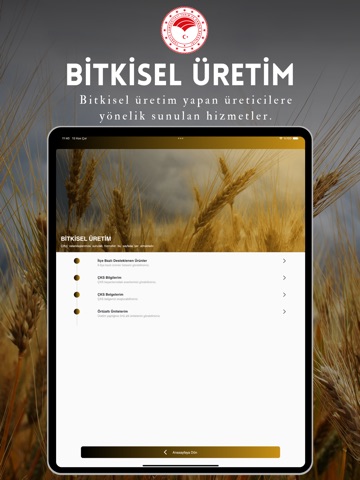
iPad screenshots



Icon palette
About this app
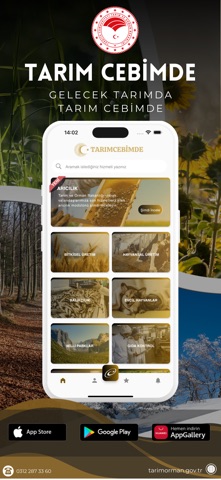
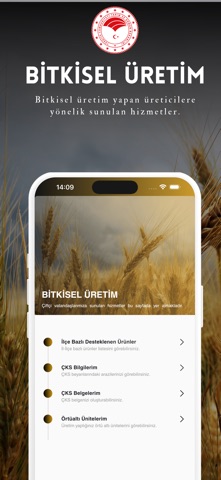
TarımCebimde uygulaması ile Tarım ve Orman Bakanlığı’nın çiftçilere ve çiftçi adaylarına yönelik hizmetlerine kolayca erişebilirsiniz. Uygulamayı kullanarak; * Çiftçi Kayıt Sistemine beyan edilen arazileriniz için Stratejik ve Desteklenen Ürünler hakkında bilgi alabilir, * Hayvancılık faaliyetlerinizi görüntüleyebilir, * Örtü Altı Üniteleriniz hakkında bilgiler edinebilir, * Üretici Kayıt Defteri (B-Reçete) ile hasat kayıtları, satış işlemleri ve ilaç uygulama kayıtlarını yapabilir, * Balıkçılık hizmetlerinden faydalanılabilir, * Evcil hayvanlarınızı görüntüleyebilir, aşı takibi ve kayıp bildirimlerinde bulunulabilir, * Kent tarımına ilişkin bilgiler alınabilir, * Avcılık rezervasyon ve iptallerini yapabilir, avlak haritasını görüntüleyebilir ve detaylandırabilir, * Ekim yaptığınız bitki tipine göre arazinizin su ihtiyaçlarını analiz edebilir, * Favori menüler ile kısayol menüler oluştu…
App details
What you can learn from Tarım Cebimde
Every shipping app on the App Store has gone through the same decisions you're working through right now: which screenshot goes first, what caption sits over it, which device frame to show, what color the background should be. The 16 screenshots above are Tarım Cebimde's answers to those questions — they're public, they're real, and they made it through Apple's review.
What the numbers say: Tarım Cebimde runs a mixed light-and-dark set where the background shifts from screenshot to screenshot (first shot #4C442C) — each image has to stand on its own, so the captions carry more of the story. The accent colour we picked up, #043C6C, is the one to reuse for badges, arrows and highlighted words if you borrow this look. Hit Use this style to open the editor with these exact colours and drop your own screenshot in.
Notice the first screenshot in particular. It's the one users see in search results and on the product page, and it's where most apps spend their best caption and tightest design. Look at the proportion of background to phone, where the text sits, what one thing the image is trying to communicate.
Want to see how other Utilities apps approach the same problem? Browse more Utilities apps in the showcase.
Take what works into your own screenshots
Open LaunchShots and design your App Store & Google Play screenshots — pick a device frame, drop captions, ship in minutes. Free, in your browser.
Open the screenshot editor →Apps with a similar look
Closest background + accent colours among the listings we've analysed — useful when you want to see the same palette handled by a different team.