Chart position — tracked daily by LaunchShots
Screenshot changes — detected by LaunchShots
Screenshot style breakdown
Sampled from 6 of ドライブサポーター by NAVITIME (カーナビ)'s App Store screenshots — background, accent and theme, measured by LaunchShots (not something Apple publishes).
#444444 bg
#5E5E5E
#043C8C accent
#FFFFFF text
Screenshots





iPad screenshots




Icon palette
About this app
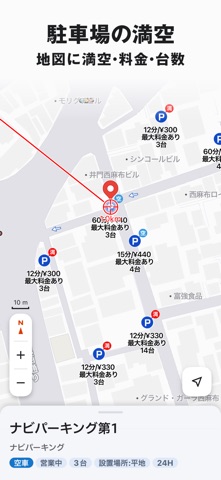
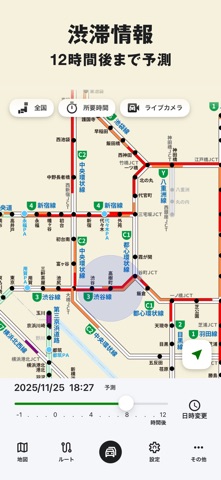
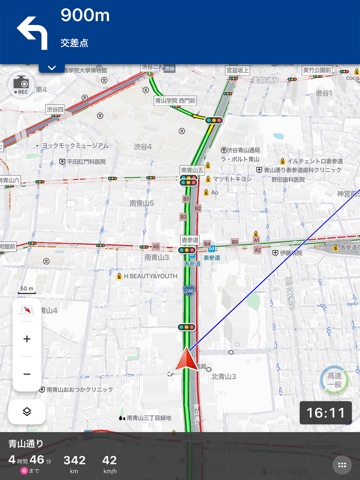
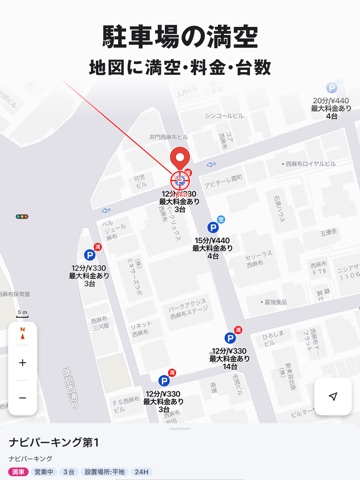
ドライブ計画からナビゲーションまで快適なドライブを強力サポート。 車載ナビのような充実した機能と、いつものドライブをより楽しくする機能が満載です! ①ご利用の車種に合わせたルート、道路料金、燃費を表示 ②信頼性の高い渋滞情報 ③駐車場の料金・満空情報、ガソリン価格表示 ④オービス、取締情報を案内 ⑤新規開通道路も自動で更新。常に最新の地図で案内 ⑥表示されたルートを編集して好みのルートにカスタマイズ可 ⑦走ると貯まるマイレージはプレゼント応募や様々なポイントに交換可 ドライブサポーターは日本最大級のナビゲーションサービス「NAVITIME」の公式アプリです。 通行規制や渋滞などの交通情報は1分間隔で更新。リアルタイムな情報が確認でき、渋滞や規制を迂回するルートも提案します。また、車種を考慮した高速料金表示、駐車場の満空情報表示なども可能。安全で快適なドライブをお楽しみいただけます! 【動画紹介】 YouTube:「NAVITIME ドライブサポーター 使い方篇(iPhone)」 ■■お読みください■■ ==================================…
App details
What you can learn from ドライブサポーター by NAVITIME (カーナビ)
Every shipping app on the App Store has gone through the same decisions you're working through right now: which screenshot goes first, what caption sits over it, which device frame to show, what color the background should be. The 17 screenshots above are ドライブサポーター by NAVITIME (カーナビ)'s answers to those questions — they're public, they're real, and they made it through Apple's review.
What the numbers say: ドライブサポーター by NAVITIME (カーナビ) runs a mixed light-and-dark set where the background shifts from screenshot to screenshot (first shot #444444) — each image has to stand on its own, so the captions carry more of the story. The accent colour we picked up, #043C8C, is the one to reuse for badges, arrows and highlighted words if you borrow this look. Hit Use this style to open the editor with these exact colours and drop your own screenshot in.
Notice the first screenshot in particular. It's the one users see in search results and on the product page, and it's where most apps spend their best caption and tightest design. Look at the proportion of background to phone, where the text sits, what one thing the image is trying to communicate.
Want to see how other Navigation apps approach the same problem? Browse more Navigation apps in the showcase.
Take what works into your own screenshots
Open LaunchShots and design your App Store & Google Play screenshots — pick a device frame, drop captions, ship in minutes. Free, in your browser.
Open the screenshot editor →Apps with a similar look
Closest background + accent colours among the listings we've analysed — useful when you want to see the same palette handled by a different team.