Screenshot style breakdown
Sampled from 3 of TeamBoard - チームボード|ビジネスキーボード's App Store screenshots — background, accent and theme, measured by LaunchShots (not something Apple publishes).
#3C5C74 bg
#577287
#FC8C7C accent
#FFFFFF text
Screenshots
Icon palette
About this app
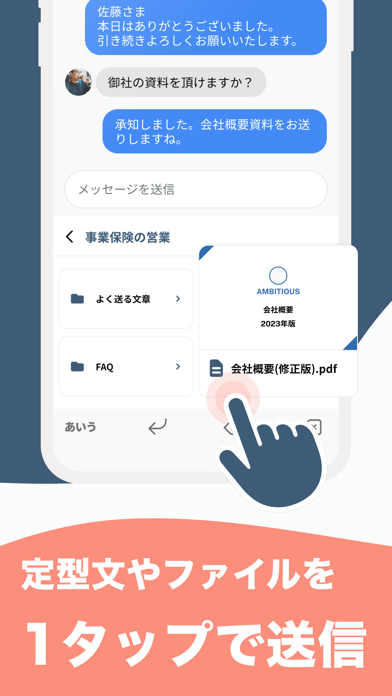
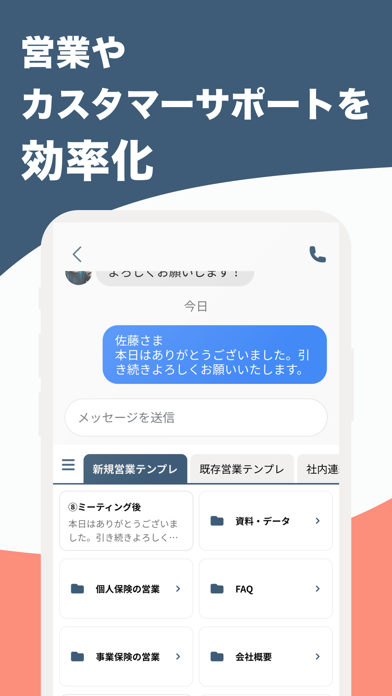
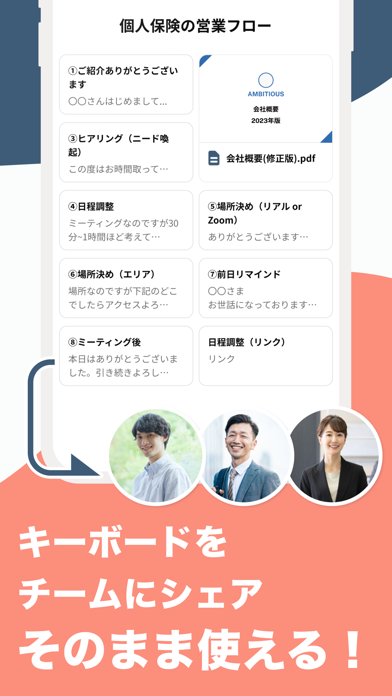
効率的でスピーディーなスマホ業務を実現する無料キーボードアプリ! よく使う文章・画像・ファイルを登録し、キーボードからワンタップで送信! ◎こんな人におすすめ◎ - 仕事を効率化させたいビジネスパーソン - メールやチャットによる連絡の多い職種 - 面倒な連絡を省略したい多忙な方 - 外回りの多い営業担当者 - お客様のサポート業務に 【TeamBoardの特長】 ◆文章やファイルのワンタップ送信 よく使う文章や画像・ファイルなどを一度登録するとキーボードからワンタップで送信できます。入力する手間や、資料を探す手間を削減しましょう。 ◆キーボードの共有 作成したキーボードは共有することができるので、チーム全体がトップ営業と同じ仕事の進め方をできるようになります。 ◆アナリティクス機能 チームで使用する場合にはそれぞれが送信した件数を確認することができます。 ◆PC版も利用できます 無料でPC版も利用でき、PCに入ったデータの登録や編集・アナリティクスの閲覧などに便利です。 ※使用端末のOSが古いバージョンだと正常に動かない…
App details
What you can learn from TeamBoard - チームボード|ビジネスキーボード
Every shipping app on the App Store has gone through the same decisions you're working through right now: which screenshot goes first, what caption sits over it, which device frame to show, what color the background should be. The 3 screenshots above are TeamBoard - チームボード|ビジネスキーボード's answers to those questions — they're public, they're real, and they made it through Apple's review.
What the numbers say: TeamBoard - チームボード|ビジネスキーボード runs a mixed light-and-dark set where the background shifts from screenshot to screenshot (first shot #3C5C74) — each image has to stand on its own, so the captions carry more of the story. The accent colour we picked up, #FC8C7C, is the one to reuse for badges, arrows and highlighted words if you borrow this look. Hit Use this style to open the editor with these exact colours and drop your own screenshot in.
Notice the first screenshot in particular. It's the one users see in search results and on the product page, and it's where most apps spend their best caption and tightest design. Look at the proportion of background to phone, where the text sits, what one thing the image is trying to communicate.
Want to see how other Reference apps approach the same problem? Browse more Reference apps in the showcase.
Take what works into your own screenshots
Open LaunchShots and design your App Store & Google Play screenshots — pick a device frame, drop captions, ship in minutes. Free, in your browser.
Open the screenshot editor →Apps with a similar look
Closest background + accent colours among the listings we've analysed — useful when you want to see the same palette handled by a different team.