Screenshot style breakdown
Sampled from 6 of imiwa?'s App Store screenshots — background, accent and theme, measured by LaunchShots (not something Apple publishes).
#F4F4F4 bg
#D6D6D6
#9CAC44 accent
#111111 text
Reading the caption text from the screenshots in your browser…
Screenshots

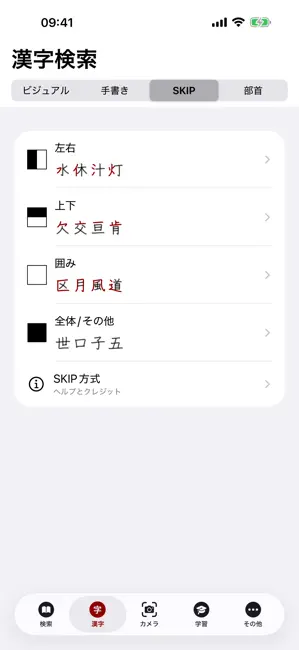
Icon palette
About this app
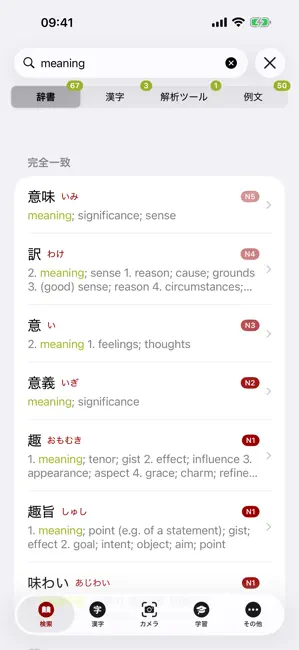
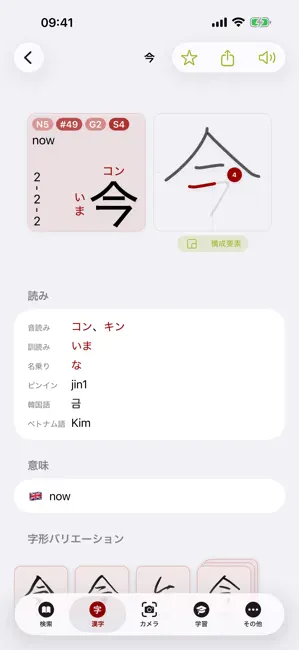
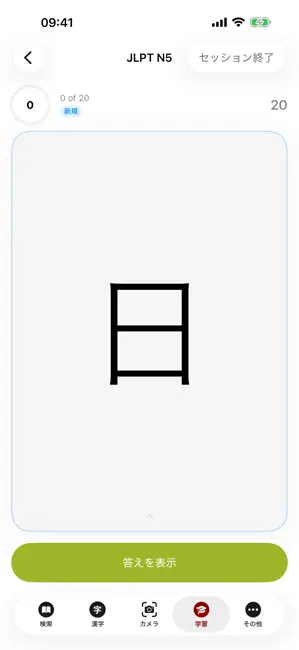
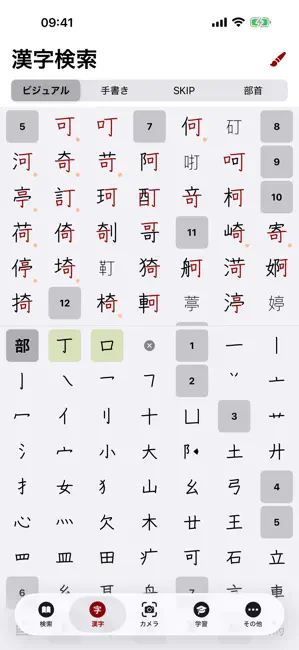
このアプリはインターネット接続を必要としない多言語日本語辞典です。 imiwa?は、Jim BreenのEDICTプロジェクトを基盤としたElectronic Dictionary Research and Development GroupのJMDictファイルを使用して作成されました。 一部の語義は4言語(英語、フランス語、ロシア語、ドイツ語)で提供されていますが、JMDict辞典のすべてのエントリで保証されているのは英語の翻訳のみです。これら4言語のいずれか、日本語、またはローマ字で検索を開始すれば、imiwa?があとはすべて処理します。 imiwa?には、漢字(KanjiDic)、例文(tatoeba.orgより)、活用形の豊富なデータベースと、初心者向けのツールも含まれています。 iOSに内蔵されている繁体字中国語の文字認識キーボード、または新しい組み込みキーボードを使って、画面上で漢字を手書き入力することができます。 お使いのデバイスがApple Intelligenceに対応している場合、imiwa?はそれを活用してお客様の言語のギャップを埋めます。AIが生成したコンテンツは必ず確認してください。 imiwa?は常に無料…
App details
What you can learn from imiwa?
Every shipping app on the App Store has gone through the same decisions you're working through right now: which screenshot goes first, what caption sits over it, which device frame to show, what color the background should be. The 6 screenshots above are imiwa?'s answers to those questions — they're public, they're real, and they made it through Apple's review.
What the numbers say: imiwa? runs a light set with one background colour (#F4F4F4) carried across every screenshot — the listing reads as a single poster when the shots sit side by side in search results. The accent colour we picked up, #9CAC44, is the one to reuse for badges, arrows and highlighted words if you borrow this look. Hit Use this style to open the editor with these exact colours and drop your own screenshot in.
Notice the first screenshot in particular. It's the one users see in search results and on the product page, and it's where most apps spend their best caption and tightest design. Look at the proportion of background to phone, where the text sits, what one thing the image is trying to communicate.
Want to see how other Reference apps approach the same problem? Browse more Reference apps in the showcase.
Take what works into your own screenshots
Open LaunchShots and design your App Store & Google Play screenshots — pick a device frame, drop captions, ship in minutes. Free, in your browser.
Open the screenshot editor →Apps with a similar look
Closest background + accent colours among the listings we've analysed — useful when you want to see the same palette handled by a different team.