Chart position — tracked daily by LaunchShots
Screenshot changes — detected by LaunchShots
Screenshot style breakdown
Sampled from 6 of 同花顺-炒股、股票's App Store screenshots — background, accent and theme, measured by LaunchShots (not something Apple publishes).
#FCFCFC bg
#DDDDDD
#FC2434 accent
#111111 text
Screenshots


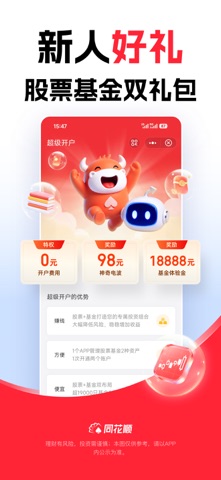

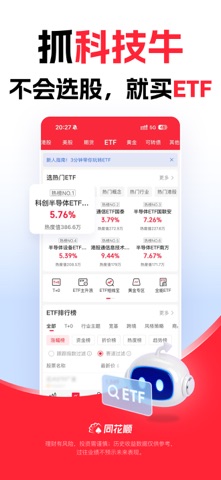


iPad screenshots


Icon palette
About this app
【炒股就用同花顺】 我们为您提供智能投资服务,以及沪深港美全球实时行情,精选股市热点资讯、基金理财等。投资全球,就用同花顺! 风险提示:投资有风险,入市需谨慎。 【亮点功能】 【√ 】涨停聚焦:涨停强度、市场情绪、连板天梯等,助您优选打板标的。 【√ 】同花顺热榜:聚焦千万人的投资动向,大数据捕捉人气热点。 【√ 】热门板块:投资情绪实时追踪,板块机会不错过。 【√ 】龙虎榜:了解大资金买卖情况,主力成本,会看龙虎榜,妖股少不了。 【√ 】诊股:核心level2数据,全方位技术消息面评估,专家操作建议。 【√ 】筹码分布:快速查看主力建仓、洗盘、拉升、出货。 【√ 】自选动态分组:根据选股策略每天动态更新自选股票池,省时省力。 【√ 】模拟炒股:送20万模拟金,A股、港美股、期货、基金轻松玩。 【基础功能】 【√ 】全球行情:支持沪市、深市、港股、美股、英股、商品期货、新三板、全球股指等,想看的行情这里都有。 【√ 】智能盯盘:实时异动推送、股价预警、大事提醒,帮您轻松盯盘。 【√ 】弹幕:看盘配弹幕,感受股市的喜怒哀乐。 【√ …
App details
What you can learn from 同花顺-炒股、股票
Every shipping app on the App Store has gone through the same decisions you're working through right now: which screenshot goes first, what caption sits over it, which device frame to show, what color the background should be. The 18 screenshots above are 同花顺-炒股、股票's answers to those questions — they're public, they're real, and they made it through Apple's review.
What the numbers say: 同花顺-炒股、股票 runs a light set with one background colour (#FCFCFC) carried across every screenshot — the listing reads as a single poster when the shots sit side by side in search results. The accent colour we picked up, #FC2434, is the one to reuse for badges, arrows and highlighted words if you borrow this look. Hit Use this style to open the editor with these exact colours and drop your own screenshot in.
Notice the first screenshot in particular. It's the one users see in search results and on the product page, and it's where most apps spend their best caption and tightest design. Look at the proportion of background to phone, where the text sits, what one thing the image is trying to communicate.
Want to see how other Finance apps approach the same problem? Browse more Finance apps in the showcase.
Take what works into your own screenshots
Open LaunchShots and design your App Store & Google Play screenshots — pick a device frame, drop captions, ship in minutes. Free, in your browser.
Open the screenshot editor →Apps with a similar look
Closest background + accent colours among the listings we've analysed — useful when you want to see the same palette handled by a different team.