Screenshot changes — detected by LaunchShots
Screenshot style breakdown
Sampled from 4 of pixiv's App Store screenshots — background, accent and theme, measured by LaunchShots (not something Apple publishes).
#FCFCFC bg
#DDDDDD
#0494FC accent
#111111 text
Reading the caption text from the screenshots in your browser…
Screenshots


iPad screenshots



Icon palette
About this app
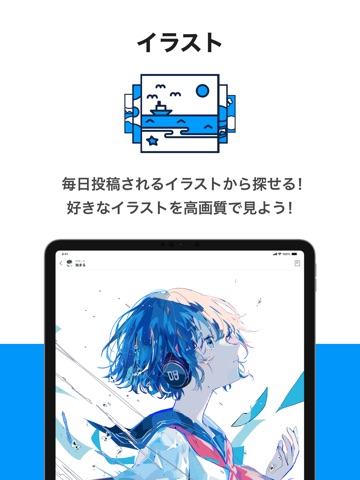
1億6000万作品以上のイラスト・マンガ・小説をいますぐ閲覧! 国内最大級、会員数1億1900万人突破の、作品コミュニケーションサービス『pixiv』公式iOSアプリケーションです。 このアプリを使えば、いつでもどこでも簡単に、素敵な作品と出会えます。 pixivは「お絵かきをはじめとした創作活動がもっと楽しくなる場所」を目指したサービスです。 アニメやマンガが好きなユーザーだけでなく、芸術やアート方面まで、幅広いユーザーによる様々な作品が投稿されています。 さっそく、あなたのお気に入り作品を見つけましょう! ■『pixiv』の特徴 【イラスト】 〇閲覧 毎日投稿されるイラストから探せる! 好きなイラストを高画質で見よう! 〇投稿 作成したイラストを投稿して みんなに共有しよう! 「すき!」を集めてみよう! 【マンガ】 〇閲覧 ここでしか読めない作品がずらり! 見逃せない作品をチェックしよう! 〇投稿 マンガを描いたら みんなに見てもらいファンを増やそう! 【小説】 〇閲覧 恋愛、ファンタジー、SFなど! 好きなジャンルの小説が見…
App details
What you can learn from pixiv
Every shipping app on the App Store has gone through the same decisions you're working through right now: which screenshot goes first, what caption sits over it, which device frame to show, what color the background should be. The 8 screenshots above are pixiv's answers to those questions — they're public, they're real, and they made it through Apple's review.
What the numbers say: pixiv runs a light set with one background colour (#FCFCFC) carried across every screenshot — the listing reads as a single poster when the shots sit side by side in search results. The accent colour we picked up, #0494FC, is the one to reuse for badges, arrows and highlighted words if you borrow this look. Hit Use this style to open the editor with these exact colours and drop your own screenshot in.
Notice the first screenshot in particular. It's the one users see in search results and on the product page, and it's where most apps spend their best caption and tightest design. Look at the proportion of background to phone, where the text sits, what one thing the image is trying to communicate.
Want to see how other Social Networking apps approach the same problem? Browse more Social Networking apps in the showcase.
Take what works into your own screenshots
Open LaunchShots and design your App Store & Google Play screenshots — pick a device frame, drop captions, ship in minutes. Free, in your browser.
Open the screenshot editor →Apps with a similar look
Closest background + accent colours among the listings we've analysed — useful when you want to see the same palette handled by a different team.