Chart position — tracked daily by LaunchShots
Screenshot changes — detected by LaunchShots
Screenshot style breakdown
Sampled from 5 of 交通银行's App Store screenshots — background, accent and theme, measured by LaunchShots (not something Apple publishes).
#FCFCFC bg
#DDDDDD
#FCDC04 accent
#111111 text
Screenshots


iPad screenshots


Icon palette
About this app
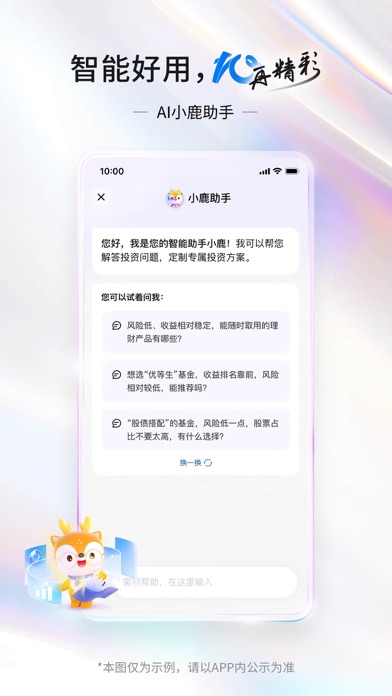
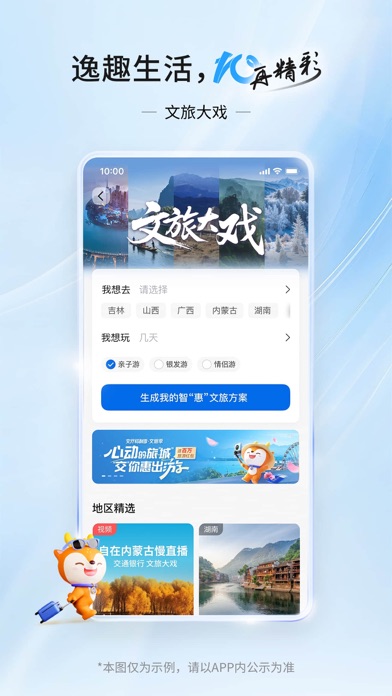
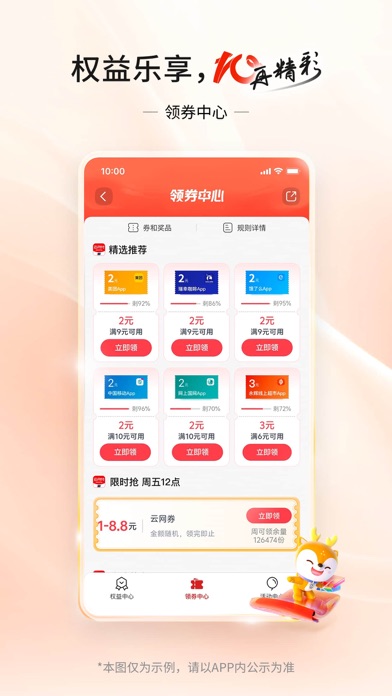
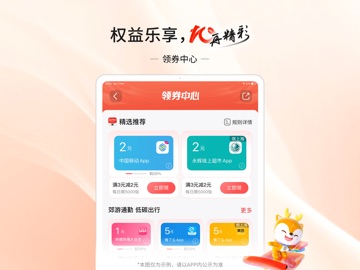
交通银行10.0版本焕新发布,聚焦“普惠、智能、好用”建设理念,用AI重塑数智服务新体验,为您提供更有温度的线上化综合金融服务。 一、智享财富,“10”力升级 【AI小鹿助手】您身边的智能财富管家,开口即理财,为您解读信息、精准产品筛选、一句话定制专属方案。 【“活钱+”专区】超100只快赎产品可供选择,灵活取用、快速到账。 【账单中心】多样账单、月月呈达,精粹呈现您的资产变动、收益成绩、收支分析等各类报告。 二、实惠生活,“10”足有料 【惠民贷】免抵押、免担保的纯线上消费信用贷款,在线申请、借还灵活,“贷”您开启美好生活。 【车金融专区】极简线上预约试驾,一站式线上购车体验,助您畅享美好出行时光。 【领券中心】多样好券、多领多省,餐饮美食、打车出行、品质商超,统统有优惠。 三、精彩体验,“10”分满意 【文旅大戏】“金融+文旅+消费”一站式出行体验,让您的每段旅程更省心、更省钱、更舒心。 【跨境支付通】陆港两地跨境人民币汇款实时办理,全程零交易费用。
App details
What you can learn from 交通银行
Every shipping app on the App Store has gone through the same decisions you're working through right now: which screenshot goes first, what caption sits over it, which device frame to show, what color the background should be. The 10 screenshots above are 交通银行's answers to those questions — they're public, they're real, and they made it through Apple's review.
What the numbers say: 交通银行 runs a light set with one background colour (#FCFCFC) carried across every screenshot — the listing reads as a single poster when the shots sit side by side in search results. The accent colour we picked up, #FCDC04, is the one to reuse for badges, arrows and highlighted words if you borrow this look. Hit Use this style to open the editor with these exact colours and drop your own screenshot in.
Notice the first screenshot in particular. It's the one users see in search results and on the product page, and it's where most apps spend their best caption and tightest design. Look at the proportion of background to phone, where the text sits, what one thing the image is trying to communicate.
Want to see how other Finance apps approach the same problem? Browse more Finance apps in the showcase.
Take what works into your own screenshots
Open LaunchShots and design your App Store & Google Play screenshots — pick a device frame, drop captions, ship in minutes. Free, in your browser.
Open the screenshot editor →Apps with a similar look
Closest background + accent colours among the listings we've analysed — useful when you want to see the same palette handled by a different team.