Chart position — tracked daily by LaunchShots
Screenshot changes — detected by LaunchShots
Screenshot style breakdown
Sampled from 6 of レシピはクックパッド -No1節約料理や献立の検索アプリ's App Store screenshots — background, accent and theme, measured by LaunchShots (not something Apple publishes).
#FC9C34 bg
#DD892D
#A47444 accent
#111111 text
Reading the caption text from the screenshots in your browser…
Screenshots


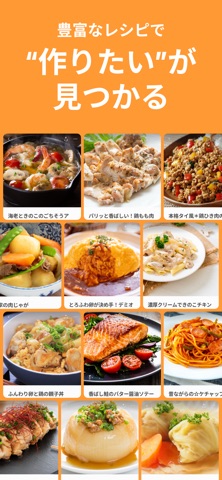


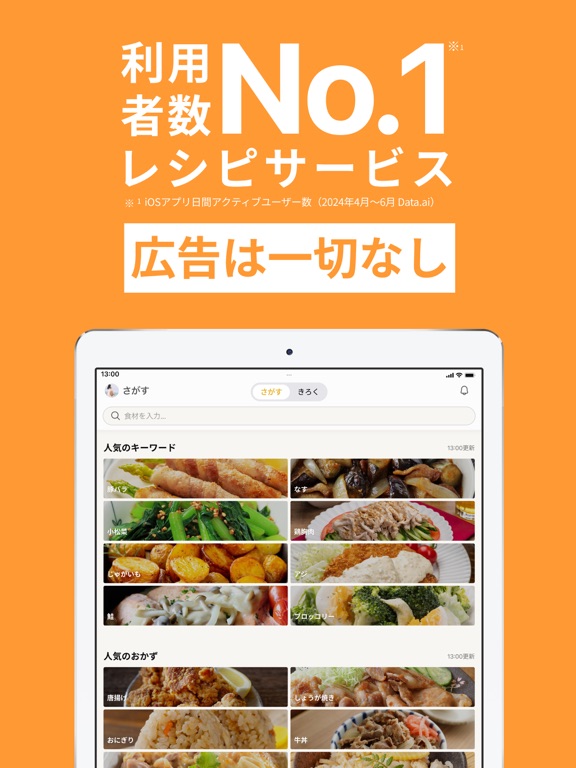
iPad screenshots


Icon palette
About this app
◆クックパッドとは クックパッドは、利用者数 No.1のレシピサービス(iOSアプリ1日あたりのアクティブユーザー数 2024年7月〜9月 Data.ai より)です。料理中も見やすいレシピ、広告も一切なし、食材検索するだけで今日つくるものが決まります。またフォーマットに沿って材料や手順を入力するだけで、自分のレシピを簡単に書けます。 今日つくるものが決まる ・食材や料理名で検索するだけで、今日作りたいレシピが簡単に見つかる ・豊富なレシピ数で、定番からマンネリ解消レシピまで見ることができる 料理中も見やすいレシピ ・レシピにあるピンアイコンを押すと、今日つくりたいレシピをピン留めできる ・主食と副菜など、複数レシピをピン留めして、同時調理もスムーズに 自分のレシピを簡単に書ける ・フォーマットに沿って材料や手順を入力するだけで、簡単にレシピを書ける ・自分だけの工夫やアイデアを記録できる 定番レシピがすぐ見れる ・実際に作って美味しかったあなたにとっての定番レシピがすぐに見れる ・自分の公開レシピやプライベートレシピ、…
App details
What you can learn from レシピはクックパッド -No1節約料理や献立の検索アプリ
Every shipping app on the App Store has gone through the same decisions you're working through right now: which screenshot goes first, what caption sits over it, which device frame to show, what color the background should be. The 12 screenshots above are レシピはクックパッド -No1節約料理や献立の検索アプリ's answers to those questions — they're public, they're real, and they made it through Apple's review.
What the numbers say: レシピはクックパッド -No1節約料理や献立の検索アプリ runs a light set with one background colour (#FC9C34) carried across every screenshot — the listing reads as a single poster when the shots sit side by side in search results. The accent colour we picked up, #A47444, is the one to reuse for badges, arrows and highlighted words if you borrow this look. Hit Use this style to open the editor with these exact colours and drop your own screenshot in.
Notice the first screenshot in particular. It's the one users see in search results and on the product page, and it's where most apps spend their best caption and tightest design. Look at the proportion of background to phone, where the text sits, what one thing the image is trying to communicate.
Want to see how other Food & Drink apps approach the same problem? Browse more Food & Drink apps in the showcase.
Take what works into your own screenshots
Open LaunchShots and design your App Store & Google Play screenshots — pick a device frame, drop captions, ship in minutes. Free, in your browser.
Open the screenshot editor →Apps with a similar look
Closest background + accent colours among the listings we've analysed — useful when you want to see the same palette handled by a different team.