Chart position — tracked daily by LaunchShots
Screenshot style breakdown
Sampled from 6 of NaviCon おでかけサポート's App Store screenshots — background, accent and theme, measured by LaunchShots (not something Apple publishes).
#04040C bg
#27272E
#9C6C5C accent
#FFFFFF text
Screenshots
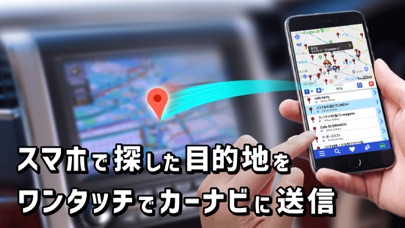


iPad screenshots


Icon palette
About this app
スマホで探した行先をワンタッチでカーナビに転送。カーナビの目的地設定が劇的に簡単になります。対応カーナビは1100モデル以上。あなたのカーナビでもきっと使えます。 1)多彩な連携アプリ、ジャンルやキーワード検索から、お望みの行き先が探せます。 2)見つけた行き先を、対応カーナビにワンタッチで送信/予約ができます。 3)気に入ったスポットは、メモや写真を付けて保存しておけます。 4)スポットをいくつか選んで周遊する、ルートプランも作れます。 5)渋滞状況や目的地付近の様子をお出かけ前に確認できます。 6)お友達がどこにいるか、お互いの位置を地図に表示できます。 例えば、こんな使い方ができます。 ・自宅やオフィスで行先を探して、クルマに乗ったらすぐ出発する。 ・探したお店に駐車場がありそうか、画像で確認する。 ・迎えに来てくれる家族が今どこにいるのか、リアルタイムに確認する。 多彩なアプリと連携! 対応カーナビは、カーナビメーカー各社から続々発売中。(現在1300モデル 3500万台以上。詳しくはサポー…
App details
What you can learn from NaviCon おでかけサポート
Every shipping app on the App Store has gone through the same decisions you're working through right now: which screenshot goes first, what caption sits over it, which device frame to show, what color the background should be. The 15 screenshots above are NaviCon おでかけサポート's answers to those questions — they're public, they're real, and they made it through Apple's review.
What the numbers say: NaviCon おでかけサポート runs a mixed light-and-dark set where the background shifts from screenshot to screenshot (first shot #04040C) — each image has to stand on its own, so the captions carry more of the story. The accent colour we picked up, #9C6C5C, is the one to reuse for badges, arrows and highlighted words if you borrow this look. Hit Use this style to open the editor with these exact colours and drop your own screenshot in.
Notice the first screenshot in particular. It's the one users see in search results and on the product page, and it's where most apps spend their best caption and tightest design. Look at the proportion of background to phone, where the text sits, what one thing the image is trying to communicate.
Want to see how other Navigation apps approach the same problem? Browse more Navigation apps in the showcase.
Take what works into your own screenshots
Open LaunchShots and design your App Store & Google Play screenshots — pick a device frame, drop captions, ship in minutes. Free, in your browser.
Open the screenshot editor →Apps with a similar look
Closest background + accent colours among the listings we've analysed — useful when you want to see the same palette handled by a different team.