Chart position — tracked daily by LaunchShots
Screenshot style breakdown
Sampled from 3 of 招商银行's App Store screenshots — background, accent and theme, measured by LaunchShots (not something Apple publishes).
#343C54 bg
#50576B
#748CBC accent
#FFFFFF text
Screenshots


iPad screenshots


Icon palette
About this app
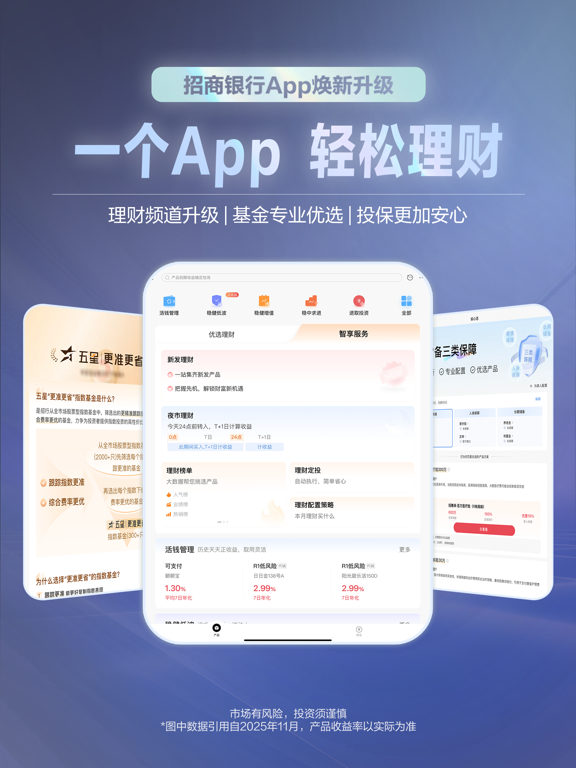
招商银行App14.0,支付、借钱、理财,一个App。 【理财】一目了然的优选产品,懂你所需的智享服务,投资更简单。 【基金】推出五星策略、五星指数,升级基金健诊,优中选优,配置更科学。 【保险】“省心选”专业规划,全流程服务,投保更安心。 【贷款】专属客户经理,贷前答疑。贷后线上办,服务更贴心。 【信用卡】一站式服务,购车留学更便利,管卡用卡更省心。 【转账】支持识图转账,一拍即转,告别手动输入,转账更快捷。 【便民】五险一金、医保账单,一站式管理,查账更轻松。 【收支】新增“结余月历”,全局掌握收支,管钱更高效。 【语控】查信息,帮操作,一语即办,体验更随心。
App details
What you can learn from 招商银行
Every shipping app on the App Store has gone through the same decisions you're working through right now: which screenshot goes first, what caption sits over it, which device frame to show, what color the background should be. The 6 screenshots above are 招商银行's answers to those questions — they're public, they're real, and they made it through Apple's review.
What the numbers say: 招商银行 runs a dark set where the background shifts from screenshot to screenshot (first shot #343C54) — each image has to stand on its own, so the captions carry more of the story. The accent colour we picked up, #748CBC, is the one to reuse for badges, arrows and highlighted words if you borrow this look. Hit Use this style to open the editor with these exact colours and drop your own screenshot in.
Notice the first screenshot in particular. It's the one users see in search results and on the product page, and it's where most apps spend their best caption and tightest design. Look at the proportion of background to phone, where the text sits, what one thing the image is trying to communicate.
Want to see how other Finance apps approach the same problem? Browse more Finance apps in the showcase.
Take what works into your own screenshots
Open LaunchShots and design your App Store & Google Play screenshots — pick a device frame, drop captions, ship in minutes. Free, in your browser.
Open the screenshot editor →Apps with a similar look
Closest background + accent colours among the listings we've analysed — useful when you want to see the same palette handled by a different team.