Chart position — tracked daily by LaunchShots
Screenshot changes — detected by LaunchShots
Screenshot style breakdown
Sampled from 6 of 百度地图-路线规划,出行必备's App Store screenshots — background, accent and theme, measured by LaunchShots (not something Apple publishes).
#F4FCFC bg
#D6DDDD
#3C4C6C accent
#111111 text
Screenshots

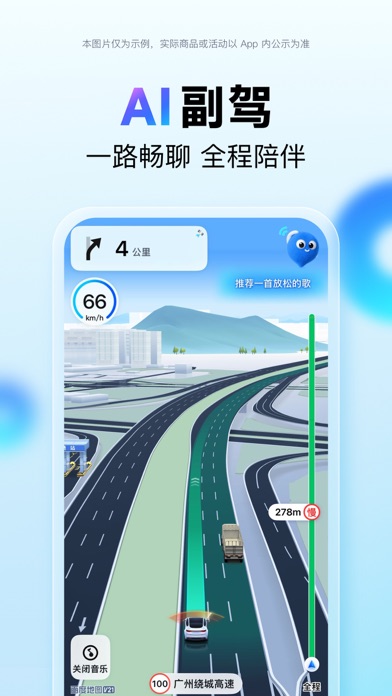


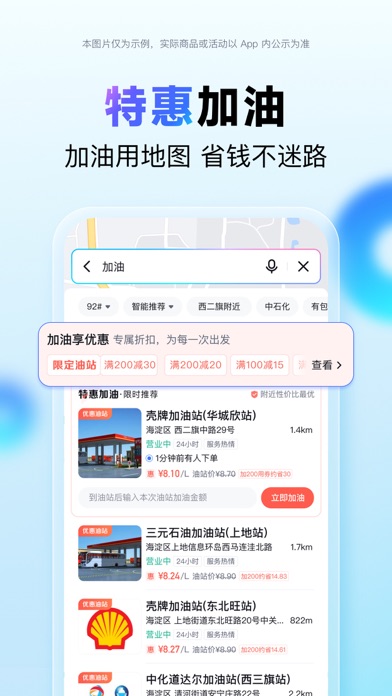


iPad screenshots


Icon palette
About this app
百度地图——科技让出行更简单! 【智能导航】 -路况实时更新,推荐更优路线,智能躲避拥堵 -智能定位,GPS信号弱也能持续导航 -公交导航到站提醒,实时公交覆盖多城 【智能规划】 -提供包含打车、驾车、公交、步行、骑行、火车、飞机、客车、货车、摩托车等出行方式的智能规划方案 -未来通行时间智能预估,精准预估到达时间,规划路线更精准,更符合用户不同的出行或驾驶习惯 -全国范围内,提供多种交通方式组合的智能出行方案 -时间优先,躲避拥堵,少收费,不走高速等多种路线偏好任你选择 【低价打车】 -打车惊喜特惠,周周领大额红包 -多种车型智能比价,叫车快人一步 -打车有保障,隐私保护,全程安全陪伴 【智能语音】 -语音技术行业领先,可实现全端唤醒,全局交互 -喊“小度小度”,轻松查路线、搜地点、问天气,沿途搜等 -只需9句话,生成个人定制语音包,并支持地图全场景使用 【智能推荐】 -根据个人出行时间、方式等偏好,个性化推荐出行方案 -发现周边,探索吃喝玩乐好去处 -智能旅游,游玩路线推荐、AI导游跟随讲解、AR导览实景沉浸式游玩体验,让你玩…
App details
What you can learn from 百度地图-路线规划,出行必备
Every shipping app on the App Store has gone through the same decisions you're working through right now: which screenshot goes first, what caption sits over it, which device frame to show, what color the background should be. The 19 screenshots above are 百度地图-路线规划,出行必备's answers to those questions — they're public, they're real, and they made it through Apple's review.
What the numbers say: 百度地图-路线规划,出行必备 runs a light set with one background colour (#F4FCFC) carried across every screenshot — the listing reads as a single poster when the shots sit side by side in search results. The accent colour we picked up, #3C4C6C, is the one to reuse for badges, arrows and highlighted words if you borrow this look. Hit Use this style to open the editor with these exact colours and drop your own screenshot in.
Notice the first screenshot in particular. It's the one users see in search results and on the product page, and it's where most apps spend their best caption and tightest design. Look at the proportion of background to phone, where the text sits, what one thing the image is trying to communicate.
Want to see how other Navigation apps approach the same problem? Browse more Navigation apps in the showcase.
Take what works into your own screenshots
Open LaunchShots and design your App Store & Google Play screenshots — pick a device frame, drop captions, ship in minutes. Free, in your browser.
Open the screenshot editor →Apps with a similar look
Closest background + accent colours among the listings we've analysed — useful when you want to see the same palette handled by a different team.