Chart position — tracked daily by LaunchShots
Screenshot changes — detected by LaunchShots
Screenshot style breakdown
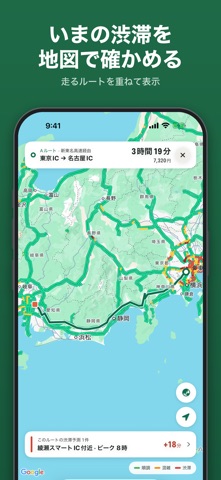
Sampled from 6 of 高速道路ナビ(渋滞情報・高速道路料金の検索)'s App Store screenshots — background, accent and theme, measured by LaunchShots (not something Apple publishes).
#1C6C44 bg
#3B805E
#84D4EC accent
#FFFFFF text
Reading the caption text from the screenshots in your browser…
Screenshots



iPad screenshots


Icon palette
About this app
10年以上選ばれ続け、累計100万ダウンロード突破。高速道路の「高速料金」「渋滞情報」「最適ルート検索」を、かんたん3ステップで素早く。時間・距離・料金の3軸で最大5ルートを比較でき、Googleのリアルタイム渋滞を地図上に重ねて確認。出張・旅行・ドライブ前のルート計画に最適です。 主な機能 - 高速料金/ルート検索: 出発IC→到着IC→検索(経由ICの追加指定にも対応) - 最適ルート提案: 時間順/距離順/料金順から合理的なルートを最大5件表示 - 地図でIC選択: IC名がわからなくても地図から最寄りICをタップして指定 - 渋滞情報: Googleのリアルタイム渋滞を重ねて混雑を回避 - 渋滞予測: 走る時間帯にどこが混むかを事前に確認 - 区間情報: 区間ごとの料金・距離・所要時間をシンプル表示 - 履歴/お気に入り/いつものルート: よく使うルートをワンタップで再検索 - SA/PA表示: ルート上で通過するサービスエリア/パーキングエリアを確認 【プレミアム】 - ルートを5つすべて比較(無料プランは3つまで) - 渋滞予測の中身: どこで・何時に・何km混むか - …
App details
What you can learn from 高速道路ナビ(渋滞情報・高速道路料金の検索)
Every shipping app on the App Store has gone through the same decisions you're working through right now: which screenshot goes first, what caption sits over it, which device frame to show, what color the background should be. The 12 screenshots above are 高速道路ナビ(渋滞情報・高速道路料金の検索)'s answers to those questions — they're public, they're real, and they made it through Apple's review.
What the numbers say: 高速道路ナビ(渋滞情報・高速道路料金の検索) runs a mixed light-and-dark set where the background shifts from screenshot to screenshot (first shot #1C6C44) — each image has to stand on its own, so the captions carry more of the story. The accent colour we picked up, #84D4EC, is the one to reuse for badges, arrows and highlighted words if you borrow this look. Hit Use this style to open the editor with these exact colours and drop your own screenshot in.
Notice the first screenshot in particular. It's the one users see in search results and on the product page, and it's where most apps spend their best caption and tightest design. Look at the proportion of background to phone, where the text sits, what one thing the image is trying to communicate.
Want to see how other Navigation apps approach the same problem? Browse more Navigation apps in the showcase.
Take what works into your own screenshots
Open LaunchShots and design your App Store & Google Play screenshots — pick a device frame, drop captions, ship in minutes. Free, in your browser.
Open the screenshot editor →Apps with a similar look
Closest background + accent colours among the listings we've analysed — useful when you want to see the same palette handled by a different team.