Chart position — tracked daily by LaunchShots
Screenshot style breakdown
Sampled from 6 of 香港經濟日報's App Store screenshots — background, accent and theme, measured by LaunchShots (not something Apple publishes).
#FCF4F4 bg
#DDD6D6
#F44C4C accent
#111111 text
Reading the caption text from the screenshots in your browser…
Screenshots


iPad screenshots


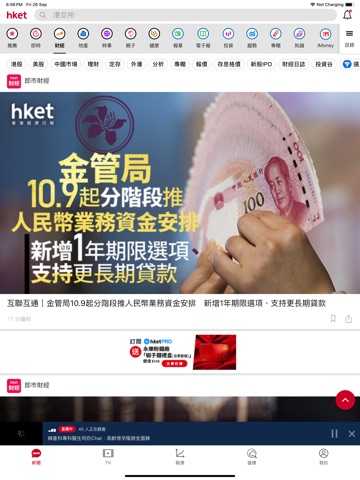


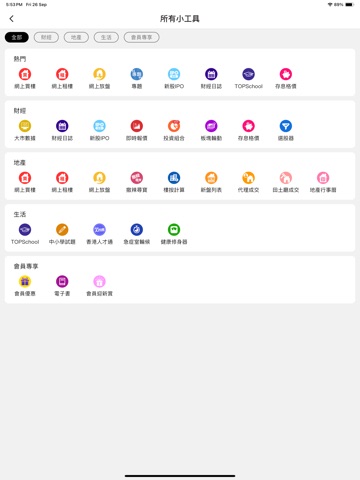
Icon palette
About this app
『財經、地產、時事及生活資訊』 本地、中國、環球宏觀經濟、數據分析解讀; 即時金融財經消息、新經濟股、當炒股、增長股、價值股、潛力股、新股IPO、業績公布、大行報告、板塊比較、追揸沽策略; 恒生指數、股價走勢變動; 中美形勢、中美關係、大灣區、ESG資訊、投資理財知識; 地產樓市走勢、新盤、二手成交消息,搜羅全港18區筍盤; 時事社會新聞; 家庭、健康、親子及娛樂資訊; 培育Band 1子女教育升學資訊、湊仔百科全書、小學試題; 全日不斷24小時不斷; 最準、最快、最齊全、最精要,易讀易明; 『港股報價 組合表現追蹤』 即時報價、手機即時接收心水股「重要新聞」、「到價/異動通知」、隨時監察股票變化; 一按即睇「報價」、「新聞」、「業績報告」、「政府政策」、「大行報告」、「板塊比較」,助你決策; 易睇易用,賺蝕成績一覽無遺; 『hket tv獨家視頻』 專家精闢分析及見解,盡在hket財經台、地產台、家庭台、健康台; 最新金融行情、市場焦點熱話、投資策略部署、專家即時解答問股,逢港股交易日直播 ; 湊仔百科、追星訪談、健康診症、烹飪技巧定時送上;…
App details
What you can learn from 香港經濟日報
Every shipping app on the App Store has gone through the same decisions you're working through right now: which screenshot goes first, what caption sits over it, which device frame to show, what color the background should be. The 15 screenshots above are 香港經濟日報's answers to those questions — they're public, they're real, and they made it through Apple's review.
What the numbers say: 香港經濟日報 runs a light set with one background colour (#FCF4F4) carried across every screenshot — the listing reads as a single poster when the shots sit side by side in search results. The accent colour we picked up, #F44C4C, is the one to reuse for badges, arrows and highlighted words if you borrow this look. Hit Use this style to open the editor with these exact colours and drop your own screenshot in.
Notice the first screenshot in particular. It's the one users see in search results and on the product page, and it's where most apps spend their best caption and tightest design. Look at the proportion of background to phone, where the text sits, what one thing the image is trying to communicate.
Want to see how other News apps approach the same problem? Browse more News apps in the showcase.
Take what works into your own screenshots
Open LaunchShots and design your App Store & Google Play screenshots — pick a device frame, drop captions, ship in minutes. Free, in your browser.
Open the screenshot editor →Apps with a similar look
Closest background + accent colours among the listings we've analysed — useful when you want to see the same palette handled by a different team.