Chart position — tracked daily by LaunchShots
Screenshot changes — detected by LaunchShots
Screenshot style breakdown
Sampled from 6 of pythoni - 运行脚本, 自动联想,代码颜色,类及方法's App Store screenshots — background, accent and theme, measured by LaunchShots (not something Apple publishes).
#FCFCFC bg
#DDDDDD
#449C44 accent
#111111 text
Screenshots


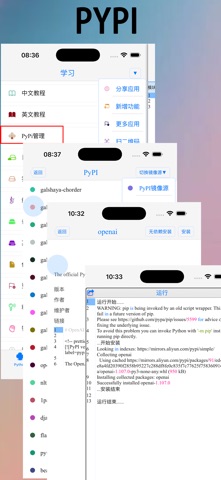


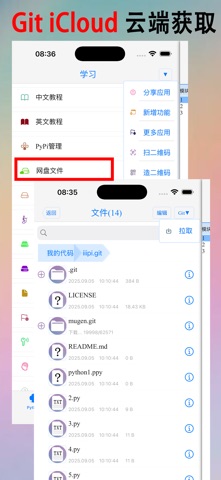


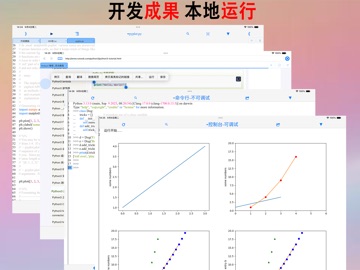
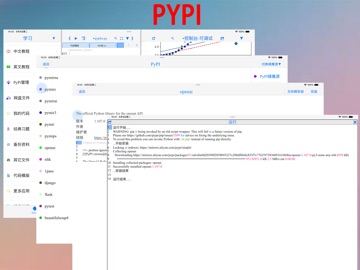
iPad screenshots





Icon palette
About this app
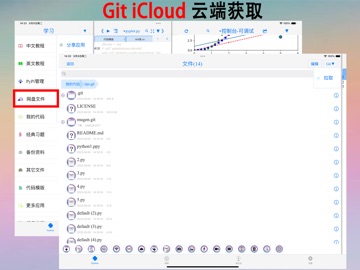
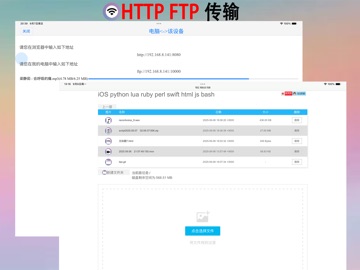
这是一个 Python3.13 高效学习、快捷编程、本地运行、断点调试、精准报错、Git获取、iCloud存取、局域网HTTP FTP 多点连接 高效传输、快乐分享的学习工具。 (^.^)它渴望帮到 想学习、在开发、求进步的您!!!(^.^) *随心PyPI下载纯python库 *随心阅读多彩学习资料,边学习边运行实例,易于理解,高效学习。 *随心使用断点调试、精准报错、代码模板、自动联想、自动缩进、代码颜色、符号补全、符号键盘,文本搜索、多文件搜索、多行缩进,多行注解,让开发更便捷。 *随心 iCloud 存取,多端同步,高效协同。 *随心Git 获取 gitee.com GitHub 上的源码项目。 *随心局域网或蓝牙连接,通过HTTP FTP 多点连接 高效传输文件。 *随心通过内置浏览器查找学习资料,在内置浏览器中选中代码就可运行代码。 *随心通过文件系统支持打开py,txt,pdf,chm,mp3,m4v,zip,gif,png,html,py,doc…文件格式。 *随心调整代码颜色及字体大小,行间距离,让阅读更舒适。 *随心控制背景图片和颜色,文字颜色及阴影,文字字体,文字大小,背景动画,切换界面动画,主界面标签栏的个数及顺序…
App details
What you can learn from pythoni - 运行脚本, 自动联想,代码颜色,类及方法
Every shipping app on the App Store has gone through the same decisions you're working through right now: which screenshot goes first, what caption sits over it, which device frame to show, what color the background should be. The 20 screenshots above are pythoni - 运行脚本, 自动联想,代码颜色,类及方法's answers to those questions — they're public, they're real, and they made it through Apple's review.
What the numbers say: pythoni - 运行脚本, 自动联想,代码颜色,类及方法 runs a light set with one background colour (#FCFCFC) carried across every screenshot — the listing reads as a single poster when the shots sit side by side in search results. The accent colour we picked up, #449C44, is the one to reuse for badges, arrows and highlighted words if you borrow this look. Hit Use this style to open the editor with these exact colours and drop your own screenshot in.
Notice the first screenshot in particular. It's the one users see in search results and on the product page, and it's where most apps spend their best caption and tightest design. Look at the proportion of background to phone, where the text sits, what one thing the image is trying to communicate.
Want to see how other Developer Tools apps approach the same problem? Browse more Developer Tools apps in the showcase.
Take what works into your own screenshots
Open LaunchShots and design your App Store & Google Play screenshots — pick a device frame, drop captions, ship in minutes. Free, in your browser.
Open the screenshot editor →Apps with a similar look
Closest background + accent colours among the listings we've analysed — useful when you want to see the same palette handled by a different team.