Chart position — tracked daily by LaunchShots
Screenshot style breakdown
Sampled from 5 of 翼支付's App Store screenshots — background, accent and theme, measured by LaunchShots (not something Apple publishes).
#FCFCFC bg
#DDDDDD
#447CFC accent
#111111 text
Screenshots
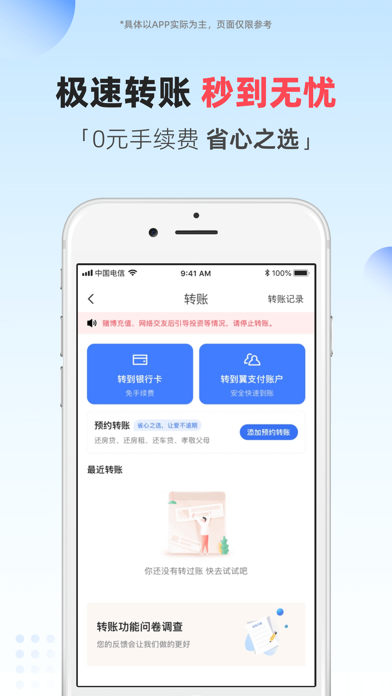


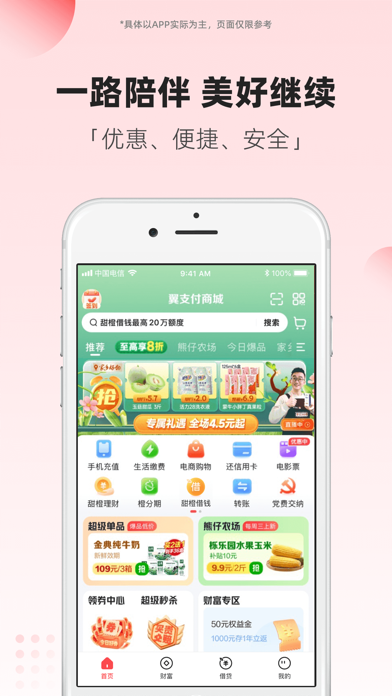

Icon palette
About this app
翼支付是中国电信旗下的第三方支付平台,致力于为用户提供优惠、便捷、安全的数字生活服务。 有玩有买福利多 --全新购物商城,超值好物秒杀,逛玩家乡特产、精品大牌,更有超值星期五等福利活动; --买大牌美妆、正品酒水、数码潮电、安心乳饮、品质粮油、家清个护,就上翼支付!正品保障,低价好货,爆款直降; --天天团爆款,乐享霸王餐,本地休闲玩乐全搜罗; --精彩视频,看达人分享、生活妙招、前沿资讯,边看边买; --做任务攒绿能,早起打卡赢现金、天天签到抢爆款券等等更多玩法等你来探索! 便民生活优惠多 --全月享话费充值、水电燃气笔笔立减; --新增转账到他人银行卡功能,支持手机网银转账; --信用卡还款、银行卡转账0手续费; --支持扫银联、支付宝、收钱吧线下二维码,一码走天下; --支持查看数字身份证,忘带身份证就上翼支付; 安全保障专业多 --精选数十款网红产品; --免费提供保险规划服务; 资金周转便利多 --极速审核,专业可靠,额度最高可达20万; --期数自选,还款灵活,降低每月还款压力; --新户福利…
App details
What you can learn from 翼支付
Every shipping app on the App Store has gone through the same decisions you're working through right now: which screenshot goes first, what caption sits over it, which device frame to show, what color the background should be. The 5 screenshots above are 翼支付's answers to those questions — they're public, they're real, and they made it through Apple's review.
What the numbers say: 翼支付 runs a light set where the background shifts from screenshot to screenshot (first shot #FCFCFC) — each image has to stand on its own, so the captions carry more of the story. The accent colour we picked up, #447CFC, is the one to reuse for badges, arrows and highlighted words if you borrow this look. Hit Use this style to open the editor with these exact colours and drop your own screenshot in.
Notice the first screenshot in particular. It's the one users see in search results and on the product page, and it's where most apps spend their best caption and tightest design. Look at the proportion of background to phone, where the text sits, what one thing the image is trying to communicate.
Want to see how other Finance apps approach the same problem? Browse more Finance apps in the showcase.
Take what works into your own screenshots
Open LaunchShots and design your App Store & Google Play screenshots — pick a device frame, drop captions, ship in minutes. Free, in your browser.
Open the screenshot editor →Apps with a similar look
Closest background + accent colours among the listings we've analysed — useful when you want to see the same palette handled by a different team.