Screenshots



Icon palette
About this app
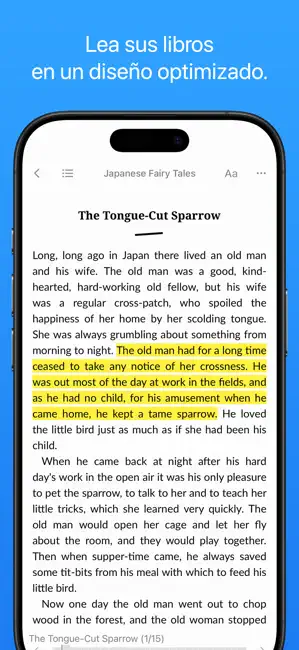
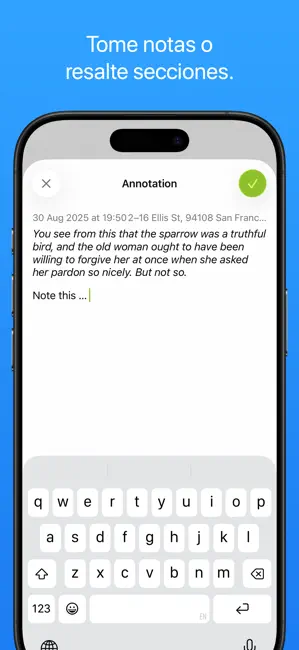
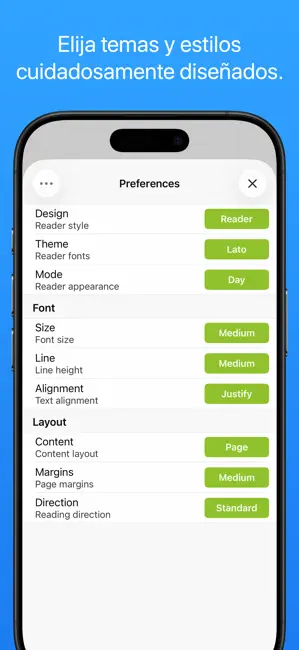
Yomu es un lector independiente para los amantes de los libros. El diseño de Yomu está pensado cuidadosamente para libros electrónicos, y ofrece estilos personalizados para una lectura fluida y sin distracciones. Diseñado para que usted se concentre en la lectura, Yomu no tiene preferencias innecesarias. Solo abra un libro y comience a leer. El diseño fluido de Yomu ajusta dinámicamente todas las propiedades del texto y los márgenes de acuerdo con sus estilos y dispositivos preferidos, brindándote una experiencia de lectura óptima. FORMATOS Yomu es compatible con libros electrónicos estándar, sin gestión de derechos digitales. Formatos soportados: - EPub (.epub) - Mobi (.mobi, .prc) - Kindle (.azw, .azw3, .kf8) - Comics (.cbz, .cbr) - PDF (.pdf) Elija cualquiera de los libros electrónicos disponibles gratuitamente, de editores tales como Feedbooks, Manybooks o Project Gutenberg. Des…
App details
What you can learn from Yomu EBook Reader
Every shipping app on the App Store has gone through the same decisions you're working through right now: which screenshot goes first, what caption sits over it, which device frame to show, what color the background should be. The 6 screenshots above are Yomu EBook Reader's answers to those questions — they're public, they're real, and they made it through Apple's review.
Notice the first screenshot in particular. It's the one users see in search results and on the product page, and it's where most apps spend their best caption and tightest design. Look at the proportion of background to phone, where the text sits, what one thing the image is trying to communicate.
Want to see how other Book apps approach the same problem? Browse more Book apps in the showcase.
Take what works into your own screenshots
Open LaunchShots and design your App Store & Google Play screenshots — pick a device frame, drop captions, ship in minutes. Free, in your browser.
Open the screenshot editor →