Chart position — tracked daily by LaunchShots
Screenshot changes — detected by LaunchShots
Screenshot style breakdown
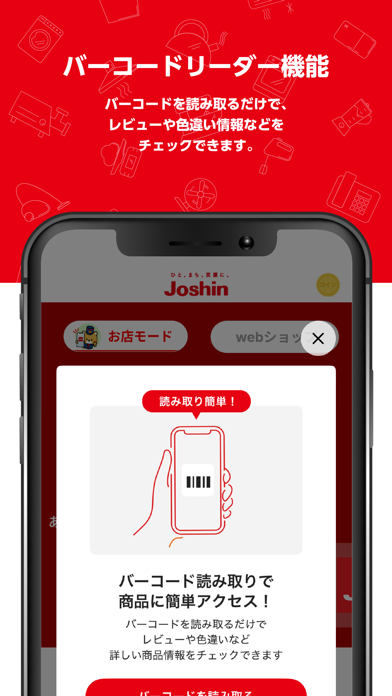
Sampled from 4 of ジョーシンアプリ's App Store screenshots — background, accent and theme, measured by LaunchShots (not something Apple publishes).
#E40414 bg
#E72734
#AC7464 accent
#FFFFFF text
Screenshots



iPad screenshots


Icon palette
About this app
ジョーシン公式アプリです。 ポイント管理、会員ランクの確認、クーポンのご利用、人気商品抽選販売やプレゼントキャンペーンにご参加いただけます。 ■デジタル会員証 ジョーシンカードをアプリに登録すれば、ポイントの貯める・使うが簡単に行えます。 ジョーシンスマイルプログラムの会員ランクや、ポイント残高、有効期限が確認できます。 ■クーポン アプリをインストールするだけで、店舗で使えるお得なクーポンが利用可能!さらに、ジョーシンカード会員様には、ジョーシンスマイルプログラムの会員ランクに応じた特別クーポンや誕生月限定のバースデーパスポートもご提供します。 ■チェックイン アプリのチェックイン機能でジョーシンコインをゲット!ジョーシンコインをコツコツ貯めると、お買い物に使えるジョーシンポイントにも交換が可能です。 対応コンテンツは今後随時拡大予定! ■マイページ 保証・会員情報管理: 長期修理保証の内容確認や、会員情報の変更が可能です。 予約・登録: 商品予約やキッズメンバーズ登録が簡単に行えます。 参加型サー…
App details
What you can learn from ジョーシンアプリ
Every shipping app on the App Store has gone through the same decisions you're working through right now: which screenshot goes first, what caption sits over it, which device frame to show, what color the background should be. The 8 screenshots above are ジョーシンアプリ's answers to those questions — they're public, they're real, and they made it through Apple's review.
What the numbers say: ジョーシンアプリ runs a dark set with one background colour (#E40414) carried across every screenshot — the listing reads as a single poster when the shots sit side by side in search results. The accent colour we picked up, #AC7464, is the one to reuse for badges, arrows and highlighted words if you borrow this look. Hit Use this style to open the editor with these exact colours and drop your own screenshot in.
Notice the first screenshot in particular. It's the one users see in search results and on the product page, and it's where most apps spend their best caption and tightest design. Look at the proportion of background to phone, where the text sits, what one thing the image is trying to communicate.
Want to see how other Lifestyle apps approach the same problem? Browse more Lifestyle apps in the showcase.
Take what works into your own screenshots
Open LaunchShots and design your App Store & Google Play screenshots — pick a device frame, drop captions, ship in minutes. Free, in your browser.
Open the screenshot editor →Apps with a similar look
Closest background + accent colours among the listings we've analysed — useful when you want to see the same palette handled by a different team.