Chart position — tracked daily by LaunchShots
Screenshot changes — detected by LaunchShots
Screenshot style breakdown
Sampled from 6 of 東急線アプリ:東急電鉄・東急バス公式の時刻表 / 運行情報's App Store screenshots — background, accent and theme, measured by LaunchShots (not something Apple publishes).
#FCFCFC bg
#DDDDDD
#9C8CDC accent
#111111 text
Reading the caption text from the screenshots in your browser…
Screenshots





Icon palette
About this app
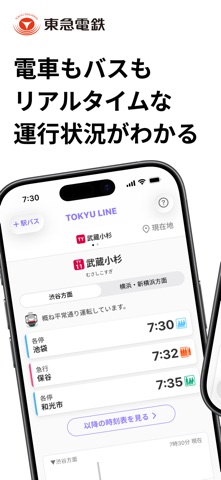
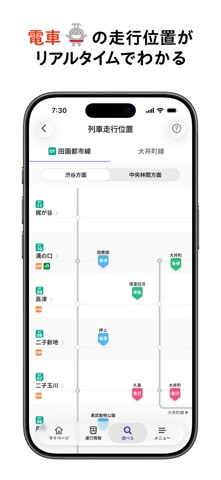
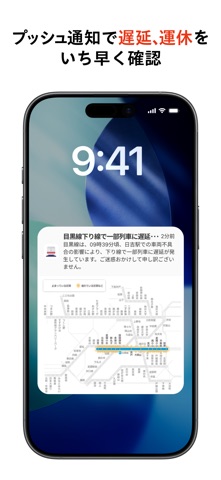
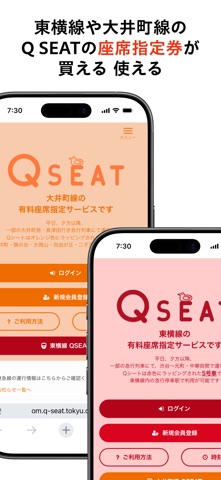
東急線アプリは東急電鉄・東急バスが提供する公式アプリです。 時刻表や運行情報など、東急線をより便利にご利用いただくためのサービスです。 ◇東急線アプリでできること◇ 【TOQ COIN】 TOQ COIN(トークコイン)は、東急線の乗車や定期券の購入などで貯まる、東急線アプリ専用のコインです。 貯まったコインは東急線ワンデーパスを始めとするデジタルチケットサービス「Q SKIP(キュースキップ)」、大井町線・東横線の有料座席指定サービス「Q SEAT(キューシート)」の座席指定券購入用クーポン、株式会社東急グルメフロントの運営する「しぶそば」の各種商品と交換できます。 ※TOQ COINのご利用にはTOKYU IDが必要です。TOKYU IDの会員登録をお願いします。 【マイページ】 よく使う駅やバス停、バス系統をマイページに登録すると、時刻表や列車走行位置、バス接近情報、バス走行位置などにすぐアクセスすることができます。複数設定(駅・バスルート・バス系統合わせて20件まで)や表示順の並び替えができるので、ご自身の用途に合わせてご利用いただけます…
App details
What you can learn from 東急線アプリ:東急電鉄・東急バス公式の時刻表 / 運行情報
Every shipping app on the App Store has gone through the same decisions you're working through right now: which screenshot goes first, what caption sits over it, which device frame to show, what color the background should be. The 10 screenshots above are 東急線アプリ:東急電鉄・東急バス公式の時刻表 / 運行情報's answers to those questions — they're public, they're real, and they made it through Apple's review.
What the numbers say: 東急線アプリ:東急電鉄・東急バス公式の時刻表 / 運行情報 runs a light set with one background colour (#FCFCFC) carried across every screenshot — the listing reads as a single poster when the shots sit side by side in search results. The accent colour we picked up, #9C8CDC, is the one to reuse for badges, arrows and highlighted words if you borrow this look. Hit Use this style to open the editor with these exact colours and drop your own screenshot in.
Notice the first screenshot in particular. It's the one users see in search results and on the product page, and it's where most apps spend their best caption and tightest design. Look at the proportion of background to phone, where the text sits, what one thing the image is trying to communicate.
Want to see how other Navigation apps approach the same problem? Browse more Navigation apps in the showcase.
Take what works into your own screenshots
Open LaunchShots and design your App Store & Google Play screenshots — pick a device frame, drop captions, ship in minutes. Free, in your browser.
Open the screenshot editor →Apps with a similar look
Closest background + accent colours among the listings we've analysed — useful when you want to see the same palette handled by a different team.