Chart position — tracked daily by LaunchShots
Screenshot style breakdown
Sampled from 6 of アニメイトアプリ's App Store screenshots — background, accent and theme, measured by LaunchShots (not something Apple publishes).
#FCFCFC bg
#DDDDDD
#FCF45C accent
#111111 text
Screenshots




Icon palette
About this app
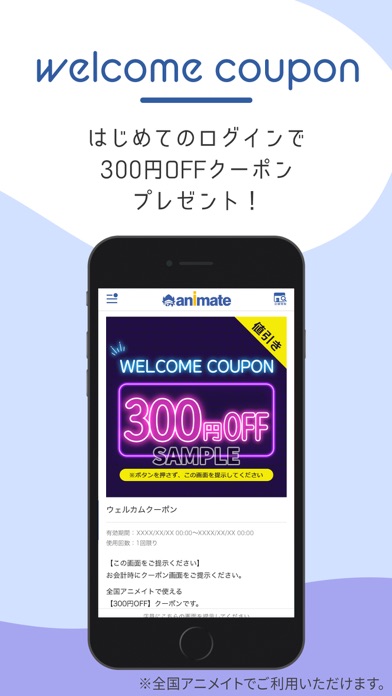
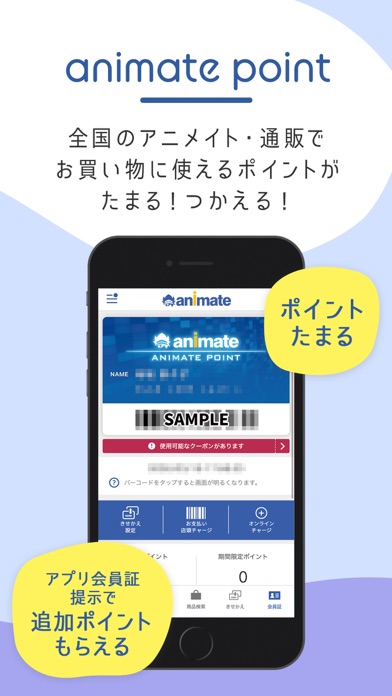
アニメイトのマストアイテム! 会員証のきせかえやクーポン、お気に入りの情報も!アニメイトアプリでゲット! とってもお得な「アニメイトペイ」が利用できます。 店頭でチャージ&お支払いで【アニメイトポイント最大7%還元】 【アニメイトペイ】 クレジットカードがなくても、現金で店頭チャージ可能! ※詳細はこちら:https://www.animate.co.jp/ex/animatepay/ 【会員証】 店舗でのお会計時にご提示いただくと、アニメイトポイントが貯まる!つかえる! アプリ会員証なら追加で1ポイントプレゼント! さらに、《きせかえ機能》で好きな作品の会員証に変えちゃおう! 【クーポン】 アプリにはじめてログインすると、店舗ですぐに使える【300円OFFクーポン】をプレゼント! クーポンは不定期でお届けします。 【バースデー特典】 アプリ会員限定で、誕生月に【300アニメイトポイント】プレゼント! 【商品検索】 アニメイト通販のお取り扱い商品や店舗在庫を確認することができます。 【店舗予約確認】 店舗や通販で予約した商品の情報を確認することがで…
App details
What you can learn from アニメイトアプリ
Every shipping app on the App Store has gone through the same decisions you're working through right now: which screenshot goes first, what caption sits over it, which device frame to show, what color the background should be. The 9 screenshots above are アニメイトアプリ's answers to those questions — they're public, they're real, and they made it through Apple's review.
What the numbers say: アニメイトアプリ runs a light set with one background colour (#FCFCFC) carried across every screenshot — the listing reads as a single poster when the shots sit side by side in search results. The accent colour we picked up, #FCF45C, is the one to reuse for badges, arrows and highlighted words if you borrow this look. Hit Use this style to open the editor with these exact colours and drop your own screenshot in.
Notice the first screenshot in particular. It's the one users see in search results and on the product page, and it's where most apps spend their best caption and tightest design. Look at the proportion of background to phone, where the text sits, what one thing the image is trying to communicate.
Want to see how other Lifestyle apps approach the same problem? Browse more Lifestyle apps in the showcase.
Take what works into your own screenshots
Open LaunchShots and design your App Store & Google Play screenshots — pick a device frame, drop captions, ship in minutes. Free, in your browser.
Open the screenshot editor →Apps with a similar look
Closest background + accent colours among the listings we've analysed — useful when you want to see the same palette handled by a different team.