Screenshot style breakdown
Sampled from 4 of JAPAN RUGBY APP's App Store screenshots — background, accent and theme, measured by LaunchShots (not something Apple publishes).
#FCFCFC bg
#DDDDDD
#3C4C1C accent
#111111 text
Reading the caption text from the screenshots in your browser…
Screenshots

Icon palette
About this app
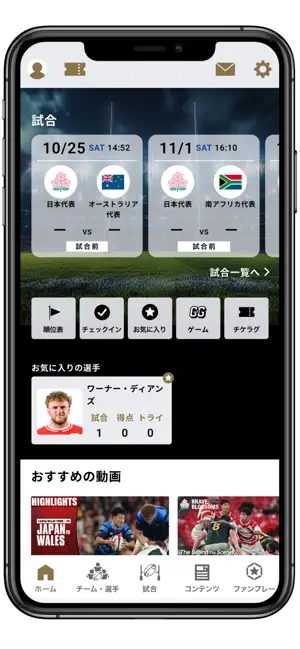
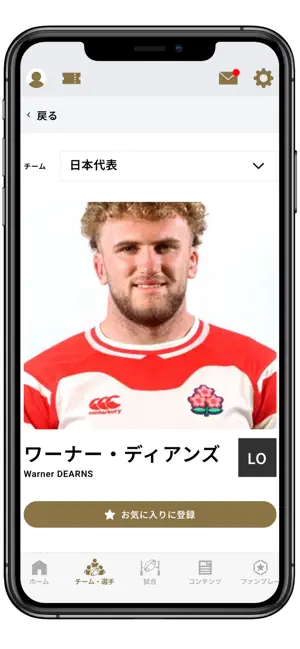
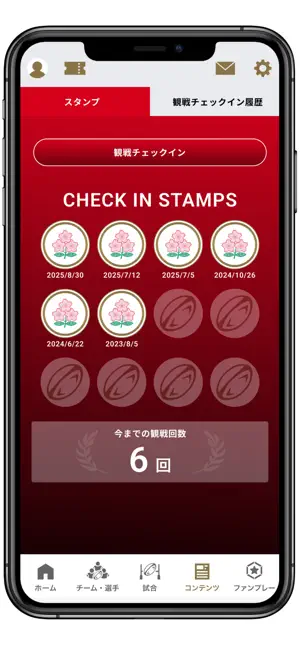
■ジャパンラグビーアプリとは? 日本ラグビー公式アプリとして、ラグビー日本代表やジャパンラグビー リーグワンの情報など、様々なオリジナルコンテンツを配信しています。 ■主な機能 〇あなただけのホーム画面が誕生!パーソナライズ機能で欲しい情報が手に入る! ・お気に入りのチームや選手を登録することで、その情報がホーム画面に優先表示されます。 ・試合日程はもちろん、ライブスコア、ヘッドラインニュースまで、お気に入りチーム・選手に応じた最新情報を確認可能です。 お気に入りチームだけでなく、推し選手を個別に「お気に入り登録」できる機能では、選手の所属チームが変わっても、自動で最新情報を追従します。 〇選手情報にスタッツデータが追加! ・得点やトライ数などに加え、タックル成功数、ゲインメーター、ラインブレイク数など各選手のスタッツデータが確認可能です。
App details
What you can learn from JAPAN RUGBY APP
Every shipping app on the App Store has gone through the same decisions you're working through right now: which screenshot goes first, what caption sits over it, which device frame to show, what color the background should be. The 4 screenshots above are JAPAN RUGBY APP's answers to those questions — they're public, they're real, and they made it through Apple's review.
What the numbers say: JAPAN RUGBY APP runs a light set with one background colour (#FCFCFC) carried across every screenshot — the listing reads as a single poster when the shots sit side by side in search results. The accent colour we picked up, #3C4C1C, is the one to reuse for badges, arrows and highlighted words if you borrow this look. Hit Use this style to open the editor with these exact colours and drop your own screenshot in.
Notice the first screenshot in particular. It's the one users see in search results and on the product page, and it's where most apps spend their best caption and tightest design. Look at the proportion of background to phone, where the text sits, what one thing the image is trying to communicate.
Want to see how other Sports apps approach the same problem? Browse more Sports apps in the showcase.
Take what works into your own screenshots
Open LaunchShots and design your App Store & Google Play screenshots — pick a device frame, drop captions, ship in minutes. Free, in your browser.
Open the screenshot editor →Apps with a similar look
Closest background + accent colours among the listings we've analysed — useful when you want to see the same palette handled by a different team.