Screenshot style breakdown
Sampled from 5 of Tagoo 00后兴趣交友社区's App Store screenshots — background, accent and theme, measured by LaunchShots (not something Apple publishes).
#242424 bg
#424242
#FC4C8C accent
#FFFFFF text
Screenshots


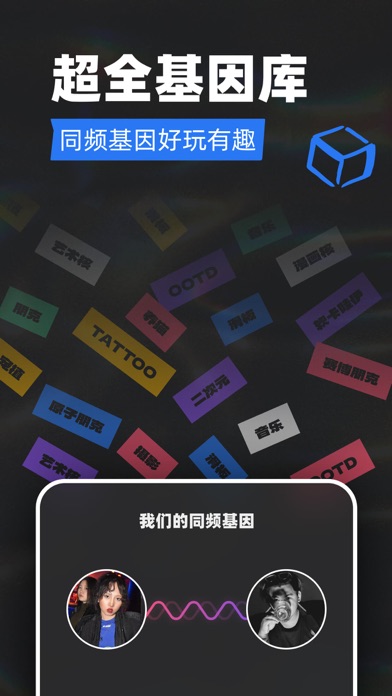

iPad screenshots


Icon palette
About this app
「Tagoo」- 青年文化专属场域。其中 【多元】【同频】【BeReal】是我们的品牌专属调性。 让我们回归轻松自在的交友方式,在tagoo遇到那个同频率的人,让每一件事都得到懂自己的回应。 【匹配交友,同城找搭子】 心动匹配,左滑不喜欢,右滑点个赞。通过滑动卡牌收获身边爱好相同,目的相同的人,让美妙时刻不再孤单。 【线上派对,认识新朋友】 「你说我猜」「桌球大作战」「跳一跳」「UMO」等几十款互动新玩法,快来和小伙伴大战300回合吧! 【动态广场,青年兴趣社区】 开放的互动社区,分享真实有趣的生活。发现更多身边的人,让社交不再受限于空间和距离。 【BUFF会员说明】 成为BUFF会员,享受更优质的交友体验: BUFF特权 - 【无限次喜欢】突破喜欢限制,会员的喜欢不限量! - 【查看谁看过我】轻松查看谁访问过我的主页! - 【小纸条】每天3次直接私信留言,匹配率可被提高5倍! - 【左滑反悔】手滑错过立即挽回,缘分不再错过! - 【优先推荐】有趣的你带来更多被喜欢的机会! - 【尊贵会员标识】享受更优质的滑动配对体验! - 【我喜欢过的人】所有…
App details
What you can learn from Tagoo 00后兴趣交友社区
Every shipping app on the App Store has gone through the same decisions you're working through right now: which screenshot goes first, what caption sits over it, which device frame to show, what color the background should be. The 10 screenshots above are Tagoo 00后兴趣交友社区's answers to those questions — they're public, they're real, and they made it through Apple's review.
What the numbers say: Tagoo 00后兴趣交友社区 runs a dark set with one background colour (#242424) carried across every screenshot — the listing reads as a single poster when the shots sit side by side in search results. The accent colour we picked up, #FC4C8C, is the one to reuse for badges, arrows and highlighted words if you borrow this look. Hit Use this style to open the editor with these exact colours and drop your own screenshot in.
Notice the first screenshot in particular. It's the one users see in search results and on the product page, and it's where most apps spend their best caption and tightest design. Look at the proportion of background to phone, where the text sits, what one thing the image is trying to communicate.
Want to see how other Social Networking apps approach the same problem? Browse more Social Networking apps in the showcase.
Take what works into your own screenshots
Open LaunchShots and design your App Store & Google Play screenshots — pick a device frame, drop captions, ship in minutes. Free, in your browser.
Open the screenshot editor →Apps with a similar look
Closest background + accent colours among the listings we've analysed — useful when you want to see the same palette handled by a different team.