Chart position — tracked daily by LaunchShots
Screenshot style breakdown
Sampled from 6 of 原声's App Store screenshots — background, accent and theme, measured by LaunchShots (not something Apple publishes).
#FCFCFC bg
#DDDDDD
#2C6CDC accent
#111111 text
Screenshots

Icon palette
About this app
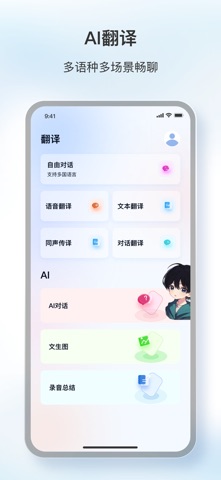
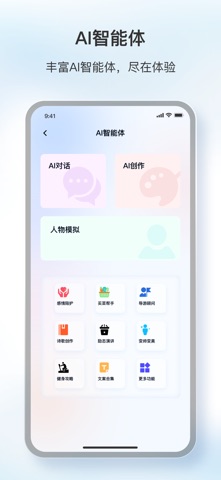
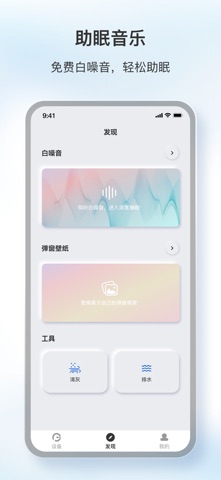
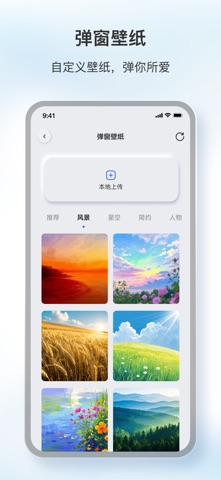
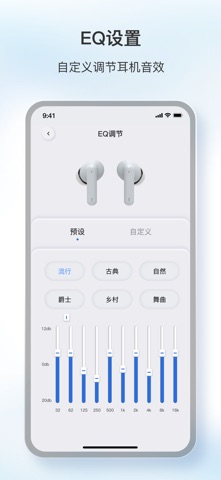
原声|你的个性化 AI 音频助手 ● 四大核心体验 1. 设备控制 个性化设置|电量显示 / 降噪通透 / EQ 调节 / 按键设置…|设备支持的全能适配 2. AI 录音 & 会议纪要 AI 办公学习助手|实时录音转文字 / 提炼核心要点 / 生成结构化会议纪要和思维导图|便捷省心,效率翻倍 3. AI 全场景翻译 科大讯飞引擎加持|自由说 / 对话翻译 / 同声传译|多语言交流无障碍 4. DeepSeek 智能体生态 AI 声控秘书|情感陪护 / 诗词创作 / 角色模拟|越用越懂你 更多沉浸声学空间,等你体验共创 ▲ 专业 EQ 调音黑科技 ▲ 免费白噪音睡眠冥想 ▲ 自定义弹窗视觉盛宴 (部分功能需要硬件支持,详情请咨询客服,谢谢!) -- 已守护千万用户的听觉体验
App details
What you can learn from 原声
Every shipping app on the App Store has gone through the same decisions you're working through right now: which screenshot goes first, what caption sits over it, which device frame to show, what color the background should be. The 6 screenshots above are 原声's answers to those questions — they're public, they're real, and they made it through Apple's review.
What the numbers say: 原声 runs a light set with one background colour (#FCFCFC) carried across every screenshot — the listing reads as a single poster when the shots sit side by side in search results. The accent colour we picked up, #2C6CDC, is the one to reuse for badges, arrows and highlighted words if you borrow this look. Hit Use this style to open the editor with these exact colours and drop your own screenshot in.
Notice the first screenshot in particular. It's the one users see in search results and on the product page, and it's where most apps spend their best caption and tightest design. Look at the proportion of background to phone, where the text sits, what one thing the image is trying to communicate.
Want to see how other Utilities apps approach the same problem? Browse more Utilities apps in the showcase.
Take what works into your own screenshots
Open LaunchShots and design your App Store & Google Play screenshots — pick a device frame, drop captions, ship in minutes. Free, in your browser.
Open the screenshot editor →Apps with a similar look
Closest background + accent colours among the listings we've analysed — useful when you want to see the same palette handled by a different team.