Screenshot changes — detected by LaunchShots
Screenshot style breakdown
Sampled from 6 of 文字找茬王-脑洞找茬眼神大挑战游戏's App Store screenshots — background, accent and theme, measured by LaunchShots (not something Apple publishes).
#BCFCFC bg
#A5DDDD
#FCC46C accent
#111111 text
Screenshots

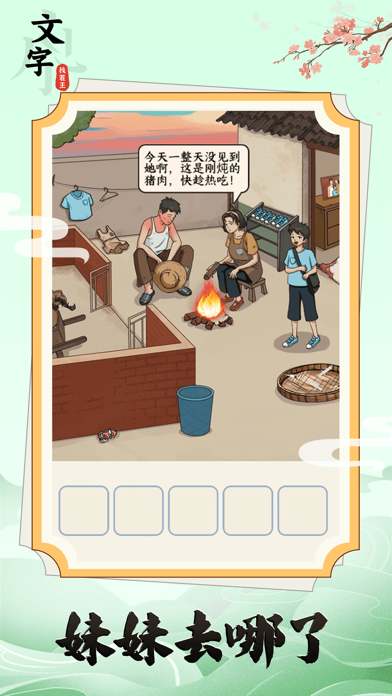


iPad screenshots


Icon palette
About this app
《文字找茬王》游戏是一款益智休闲的图文找茬小游戏。游戏中不用扮演角色,操作简单便捷,又充满趣味。玩家需要根据每一关的关卡介绍,充分理解题意,仔细观察图文,思考答案,找到对应的道具或答案,然后通过点击、滑动、拖动合成等简单操作达成通关条件,从而获得通关。
App details
What you can learn from 文字找茬王-脑洞找茬眼神大挑战游戏
Every shipping app on the App Store has gone through the same decisions you're working through right now: which screenshot goes first, what caption sits over it, which device frame to show, what color the background should be. The 14 screenshots above are 文字找茬王-脑洞找茬眼神大挑战游戏's answers to those questions — they're public, they're real, and they made it through Apple's review.
What the numbers say: 文字找茬王-脑洞找茬眼神大挑战游戏 runs a light set where the background shifts from screenshot to screenshot (first shot #BCFCFC) — each image has to stand on its own, so the captions carry more of the story. The accent colour we picked up, #FCC46C, is the one to reuse for badges, arrows and highlighted words if you borrow this look. Hit Use this style to open the editor with these exact colours and drop your own screenshot in.
Notice the first screenshot in particular. It's the one users see in search results and on the product page, and it's where most apps spend their best caption and tightest design. Look at the proportion of background to phone, where the text sits, what one thing the image is trying to communicate.
Want to see how other Entertainment apps approach the same problem? Browse more Entertainment apps in the showcase.
Take what works into your own screenshots
Open LaunchShots and design your App Store & Google Play screenshots — pick a device frame, drop captions, ship in minutes. Free, in your browser.
Open the screenshot editor →Apps with a similar look
Closest background + accent colours among the listings we've analysed — useful when you want to see the same palette handled by a different team.