Chart position — tracked daily by LaunchShots
Screenshot changes — detected by LaunchShots
Screenshot style breakdown
Sampled from 6 of X-hero's App Store screenshots — background, accent and theme, measured by LaunchShots (not something Apple publishes).
#6CFCFC bg
#5FDDDD
#5C34D4 accent
#111111 text
Screenshots
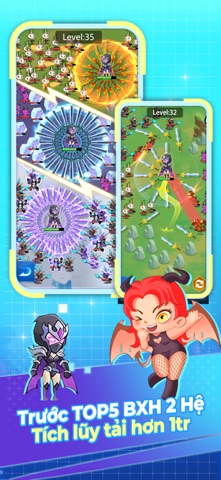


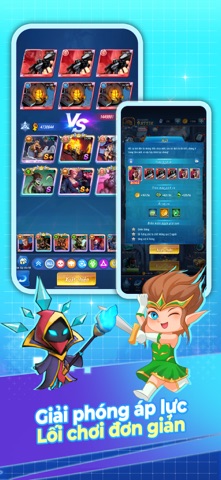

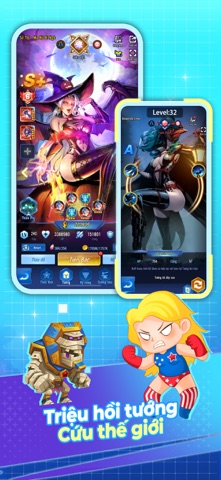
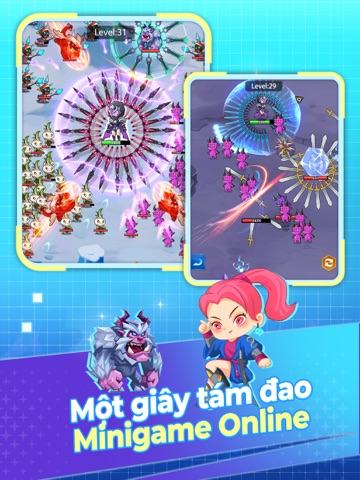
iPad screenshots



Icon palette
About this app
Quyết định phê duyệt nội dung kịch bản trò chơi điện tử G1 trên mạng số: 641/QĐ-BT cấp ngày 14/4/2023 Link giấy phép: https://giayphep.abei.gov.vn/g1/130824 Cùng bạn bè tham gia vào siêu phẩm game RPG tuyệt vời này! Triệu hồi và dẫn dắt ngàn Tướng của bạn chiến đấu với tương lai hắc ám. Mini Game siêu xả Stress hoàn toàn mới "Cá Con Vô Địch" đã lên sóng, nhanh đến cùng vượt ải nào! MINIGAME - MỘT GIÂY TÁM ĐAO Thu thập phi đao hồ thể, chiến đấu điên cuồng! Lấy những đạo cụ mạnh mẽ, tăng cường sức mạnh nhanh chóng, thả dao giết quái vật nhỏ ngay! Nhiều bản đồ quá, hãy cắt cỏ vui vẻ! HỆ THỐNG AFK&IDLE Cho dù AFK vẫn nhận được lượng lớn tài nguyên, khi bạn vào lại game, hệ thống sẽ tự động tăng cấp và nhận thưởng. Nhàn rỗi mọi lúc, chiến đấu mọi nơi! Không ảnh hưởng đến công việc và học tập. CHIẾN LƯỢC CHIẾN ĐẤU Trong game có 6 phe và hàng trăm tướng có thể tùy ý tổ đội theo kế hoạch …
App details
What you can learn from X-hero
Every shipping app on the App Store has gone through the same decisions you're working through right now: which screenshot goes first, what caption sits over it, which device frame to show, what color the background should be. The 12 screenshots above are X-hero's answers to those questions — they're public, they're real, and they made it through Apple's review.
What the numbers say: X-hero runs a light set with one background colour (#6CFCFC) carried across every screenshot — the listing reads as a single poster when the shots sit side by side in search results. The accent colour we picked up, #5C34D4, is the one to reuse for badges, arrows and highlighted words if you borrow this look. Hit Use this style to open the editor with these exact colours and drop your own screenshot in.
Notice the first screenshot in particular. It's the one users see in search results and on the product page, and it's where most apps spend their best caption and tightest design. Look at the proportion of background to phone, where the text sits, what one thing the image is trying to communicate.
Want to see how other Games apps approach the same problem? Browse more Games apps in the showcase.
Take what works into your own screenshots
Open LaunchShots and design your App Store & Google Play screenshots — pick a device frame, drop captions, ship in minutes. Free, in your browser.
Open the screenshot editor →Apps with a similar look
Closest background + accent colours among the listings we've analysed — useful when you want to see the same palette handled by a different team.