Chart position — tracked daily by LaunchShots
Screenshot changes — detected by LaunchShots
Screenshot style breakdown
Sampled from 6 of 郵便局公式アプリ - 荷物の配送状況の確認や再配達が簡単に's App Store screenshots — background, accent and theme, measured by LaunchShots (not something Apple publishes).
#BC0404 bg
#C52727
#D46C6C accent
#FFFFFF text
Reading the caption text from the screenshots in your browser…
Screenshots
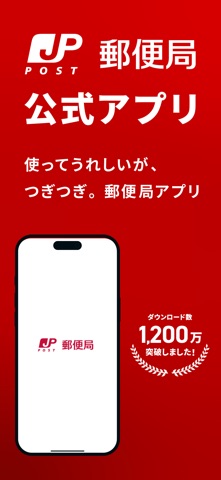
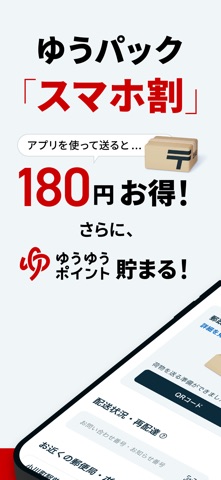
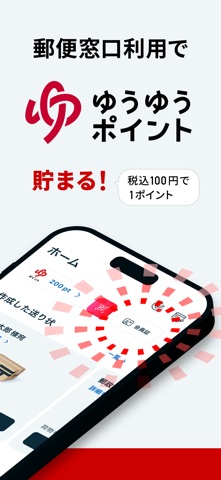
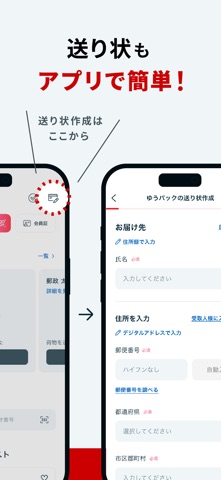

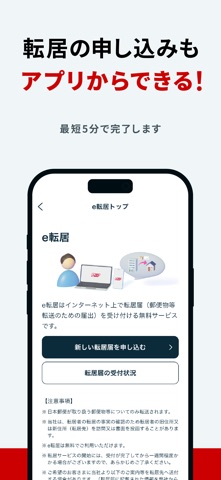
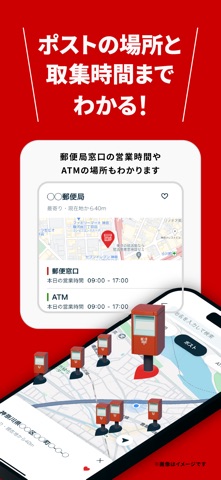
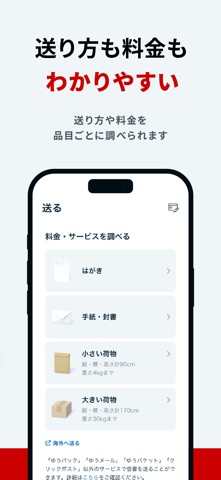
Icon palette
About this app
本アプリは、日本郵便株式会社が公式に提供するアプリです。 いつでもどこでも郵便局のサービスをスマホで使うことができます。 【主な機能】 - 追跡・再配達 郵便物・荷物がどこにあるのかを確認することができます。 郵便物・荷物情報(お問い合わせ番号)を登録できるので、毎回番号を入力する必要はありません。 そこから再配達、受取日時・場所変更を依頼することもできます。 また、ゆうパックのお届け予定通知(eお届け通知)をPush通知で受け取れ、通知からも配達変更や再配達の依頼が可能です。 - 送り方検索 送りたいものを 選択することで、最適な送り方をアプリが教えてくれます。 そこから、日数や料金の検索もできます。 - 送り状作成 ゆうパック・ゆうパケットの送り状を簡単に 作成することができます。 アプリからクレジットカードによる事前決済でゆうパックの運賃の支払いをするとお得に送ることもできます。(ゆうIDのログインが必要です。) - 集荷依頼 ゆうパックや国際小包などの集荷を依頼できます。(ゆうIDのログインが必要です。) 申…
App details
What you can learn from 郵便局公式アプリ - 荷物の配送状況の確認や再配達が簡単に
Every shipping app on the App Store has gone through the same decisions you're working through right now: which screenshot goes first, what caption sits over it, which device frame to show, what color the background should be. The 8 screenshots above are 郵便局公式アプリ - 荷物の配送状況の確認や再配達が簡単に's answers to those questions — they're public, they're real, and they made it through Apple's review.
What the numbers say: 郵便局公式アプリ - 荷物の配送状況の確認や再配達が簡単に runs a mixed light-and-dark set where the background shifts from screenshot to screenshot (first shot #BC0404) — each image has to stand on its own, so the captions carry more of the story. The accent colour we picked up, #D46C6C, is the one to reuse for badges, arrows and highlighted words if you borrow this look. Hit Use this style to open the editor with these exact colours and drop your own screenshot in.
Notice the first screenshot in particular. It's the one users see in search results and on the product page, and it's where most apps spend their best caption and tightest design. Look at the proportion of background to phone, where the text sits, what one thing the image is trying to communicate.
Want to see how other Lifestyle apps approach the same problem? Browse more Lifestyle apps in the showcase.
Take what works into your own screenshots
Open LaunchShots and design your App Store & Google Play screenshots — pick a device frame, drop captions, ship in minutes. Free, in your browser.
Open the screenshot editor →Apps with a similar look
Closest background + accent colours among the listings we've analysed — useful when you want to see the same palette handled by a different team.