Chart position — tracked daily by LaunchShots
Screenshot changes — detected by LaunchShots
Screenshot style breakdown
Sampled from 6 of てんきとくらす tenki to kurasu's App Store screenshots — background, accent and theme, measured by LaunchShots (not something Apple publishes).
#F4F4EC bg
#D6D6CF
#3C9C24 accent
#111111 text
- #1*. ten ki t o kurasu
Captions read from the screenshots (OCR, may contain small errors): 1 headline, 6 words on average (longest 6).
Screenshots



iPad screenshots


Icon palette
About this app
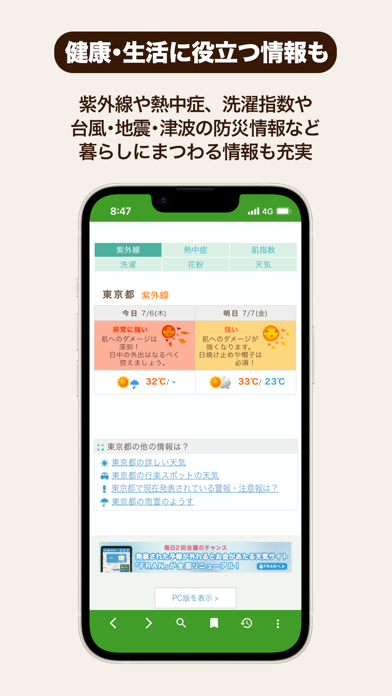
▼どんなアプリ? 生活健康に役立つ天気予報サイト「てんきとくらす」がもっと便利に見られるアプリです! ▼「てんきとくらす」とは 紫外線や熱中症などの季節に応じた健康予報や洗濯情報など、生活に密着した情報を掲載。 登山の快適さがわかる「登山指数」も掲載しており、登山者の皆様にも多く使って頂いています。 ※ 2022年8月には月間利用者数130万人を達成しました <登山指数について> 登山をするための快適さを、山頂や山麓の気象条件から、気象学的知見を用いてレベル値で表現をしています。降水量、風速、雲量などを総合的に考慮し、気象条件を独自計算したものです。 また、山頂付近の天気は麓付近とは異なる場合がありますのでご注意ください。 登山指数には火山の噴火に関する情報は含まれておりません。火山情報の詳細はこちらをご確認ください。 指数A:登山に適しています 指数B:風または雨が強く、やや登山に適していません 指数C:風または雨が強く、登山に適していません また、さまざまな行楽地やゴルフ場などの天気や、最新の防災情報(台…
App details
What you can learn from てんきとくらす tenki to kurasu
Every shipping app on the App Store has gone through the same decisions you're working through right now: which screenshot goes first, what caption sits over it, which device frame to show, what color the background should be. The 16 screenshots above are てんきとくらす tenki to kurasu's answers to those questions — they're public, they're real, and they made it through Apple's review.
What the numbers say: てんきとくらす tenki to kurasu runs a light set with one background colour (#F4F4EC) carried across every screenshot — the listing reads as a single poster when the shots sit side by side in search results. The accent colour we picked up, #3C9C24, is the one to reuse for badges, arrows and highlighted words if you borrow this look. Hit Use this style to open the editor with these exact colours and drop your own screenshot in.
Notice the first screenshot in particular. It's the one users see in search results and on the product page, and it's where most apps spend their best caption and tightest design. Look at the proportion of background to phone, where the text sits, what one thing the image is trying to communicate.
Want to see how other Weather apps approach the same problem? Browse more Weather apps in the showcase.
Take what works into your own screenshots
Open LaunchShots and design your App Store & Google Play screenshots — pick a device frame, drop captions, ship in minutes. Free, in your browser.
Open the screenshot editor →Apps with a similar look
Closest background + accent colours among the listings we've analysed — useful when you want to see the same palette handled by a different team.