Screenshots



Icon palette
About this app
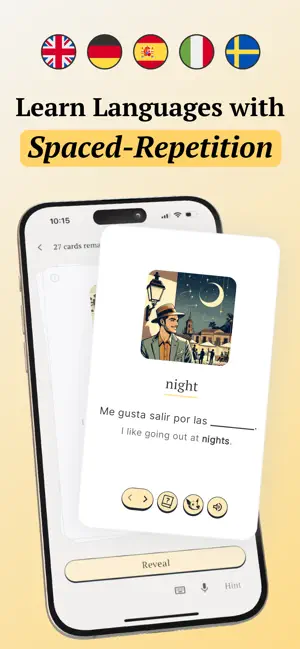
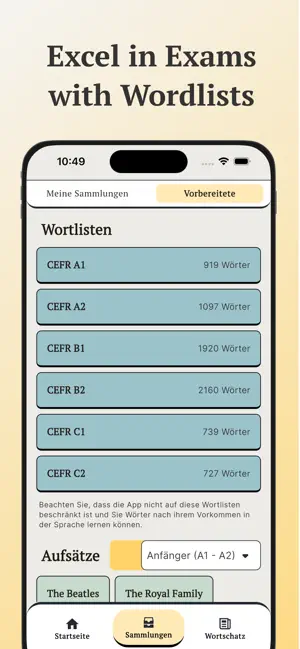
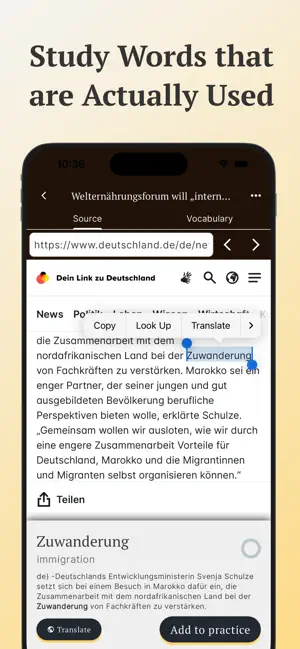
Vokabel-App für ernsthafte Sprachlerner. Vocabuo vereint das Beste aller bisherigen Sprachlern-Apps: - Lerne zehntausende Wörter auf Englisch, Spanisch, Französisch, Schwedisch, Italienisch und Deutsch. - Füge Wörter aus deinen Lieblingsinhalten hinzu: Websites, E-Books, Videos oder deine eigenen Texte. - Jedes Wort hat ein eigenes Bild, einen Beispielsatz, eine Audioaufnahme und eine Übersetzung. - Die Wiederholungen der Karteikarten basieren auf dem bewährten Spaced Repetition System (SRS). - Füge Wörter aus deinen Lieblingsvideos, Webseiten oder E-Books hinzu – oder verwende vorgefertigte Wortlisten zur Vorbereitung auf die Prüfungen - A1, A2, B1, B2, C1. - Übe echte, häufig verwendete Wörter – sortiert nach ihrer Häufigkeit in der Sprache! - Wähle deine bevorzugte Lernmethode: Sprechen, Tippen oder einfach Antippen zum Aufdecken! - Überspringe, was du schon kannst – markiere in…
App details
What you can learn from Vocabuo: Vokabeln lernen
Every shipping app on the App Store has gone through the same decisions you're working through right now: which screenshot goes first, what caption sits over it, which device frame to show, what color the background should be. The 6 screenshots above are Vocabuo: Vokabeln lernen's answers to those questions — they're public, they're real, and they made it through Apple's review.
Notice the first screenshot in particular. It's the one users see in search results and on the product page, and it's where most apps spend their best caption and tightest design. Look at the proportion of background to phone, where the text sits, what one thing the image is trying to communicate.
Want to see how other Education apps approach the same problem? Browse more Education apps in the showcase.
Take what works into your own screenshots
Open LaunchShots and design your App Store & Google Play screenshots — pick a device frame, drop captions, ship in minutes. Free, in your browser.
Open the screenshot editor →