Chart position — tracked daily by LaunchShots
Screenshot changes — detected by LaunchShots
Screenshot style breakdown
Sampled from 6 of 自由ノート: AI ノート・PDF編集・ノート整理・日記帳's App Store screenshots — background, accent and theme, measured by LaunchShots (not something Apple publishes).
#FCFCFC bg
#DDDDDD
#746C3C accent
#111111 text
Screenshots
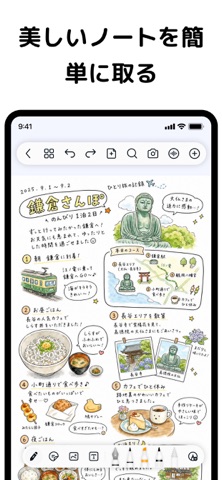

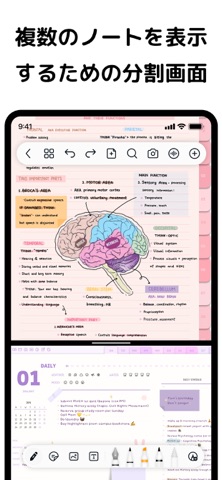

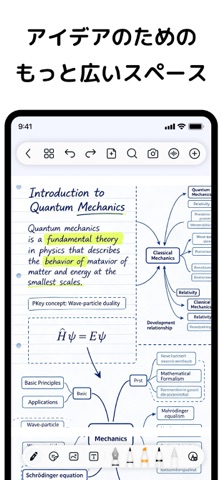

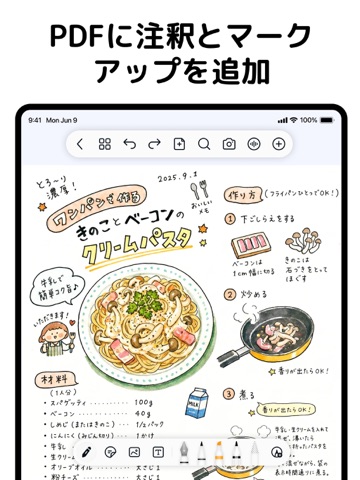
iPad screenshots



Icon palette
About this app
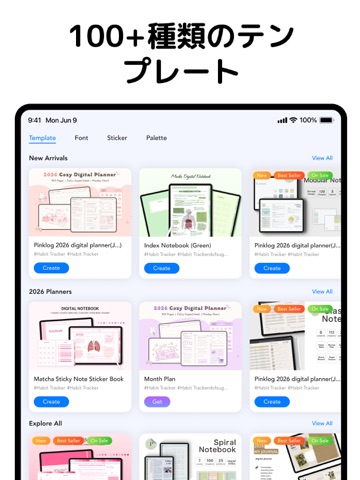
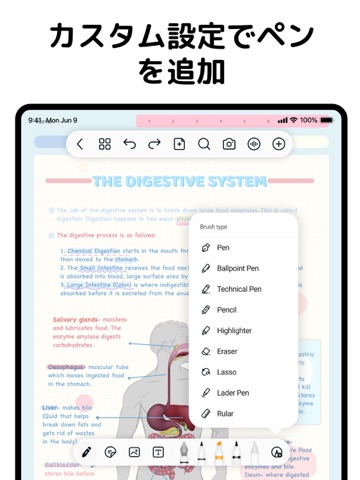
自由ノート:勉強も仕事も効率化する究極のデジタルノートアプリ 「自由ノート」を使えば、紙を使わない真の学習体験が可能です。リアルな手書きの楽しさと学習・仕事の効率を劇的に向上させる機能を組み合わせました。 大学でのPDF注釈が必要な学生の方も、高効率な会議メモツールをお探しのビジネスパーソンの方も、「自由ノート」はGoodNotesやNotabilityの最適な代替アプリとして、すべてのデバイスでシームレスで生産的な体験を提供します。 リアルな筆跡は紙に書く感覚を再現し、手書き文字のテキスト変換(OCR)、カスタムステッカー、そして強力なAI要約ツールが、効果的なノート作成、整理、復習をサポートします。 もうノートを失くす心配はありません:iCloud同期とマルチクラウドバックアップにより、iPad、iPhone、Mac間でノートに完璧にアクセスでき、「デバイスを跨いだ同期がうまくいかない」 というユーザーの主要な不満点を解消します。 AIアシスタント:あなたの賢い学習パートナー 「AIで長い文章を要約してくれるノートアプリ」「AIで勉強のま…
App details
What you can learn from 自由ノート: AI ノート・PDF編集・ノート整理・日記帳
Every shipping app on the App Store has gone through the same decisions you're working through right now: which screenshot goes first, what caption sits over it, which device frame to show, what color the background should be. The 12 screenshots above are 自由ノート: AI ノート・PDF編集・ノート整理・日記帳's answers to those questions — they're public, they're real, and they made it through Apple's review.
What the numbers say: 自由ノート: AI ノート・PDF編集・ノート整理・日記帳 runs a light set with one background colour (#FCFCFC) carried across every screenshot — the listing reads as a single poster when the shots sit side by side in search results. The accent colour we picked up, #746C3C, is the one to reuse for badges, arrows and highlighted words if you borrow this look. Hit Use this style to open the editor with these exact colours and drop your own screenshot in.
Notice the first screenshot in particular. It's the one users see in search results and on the product page, and it's where most apps spend their best caption and tightest design. Look at the proportion of background to phone, where the text sits, what one thing the image is trying to communicate.
Want to see how other Productivity apps approach the same problem? Browse more Productivity apps in the showcase.
Take what works into your own screenshots
Open LaunchShots and design your App Store & Google Play screenshots — pick a device frame, drop captions, ship in minutes. Free, in your browser.
Open the screenshot editor →Apps with a similar look
Closest background + accent colours among the listings we've analysed — useful when you want to see the same palette handled by a different team.