Screenshot style breakdown
Sampled from 6 of домашнее задание AI математика's App Store screenshots — background, accent and theme, measured by LaunchShots (not something Apple publishes).
#ECF4FC bg
#CFD6DD
#044CAC accent
#111111 text
Reading the caption text from the screenshots in your browser…
Screenshots


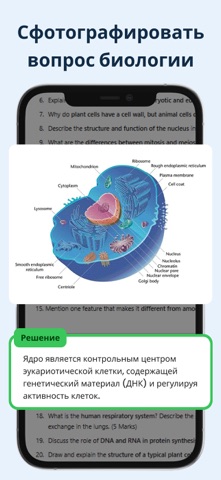

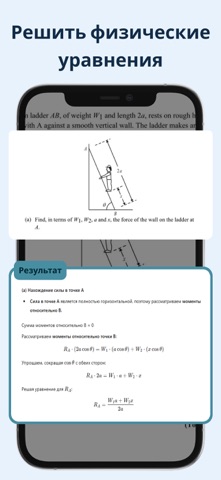


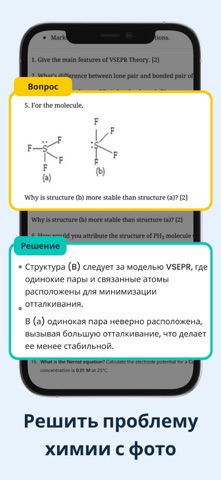
iPad screenshots


Icon palette
About this app
у тебя проблемы с домашним заданием? эта сложная математическая задача не дает тебе спать по ночам? не волнуйтесь! Наше приложение-помощник по выполнению домашних заданий с искусственным интеллектом призвано революционизировать ваш подход к учебе. попрощайтесь с ночным стрессом и поприветствуйте точные и эффективные решения с помощью наших передовых программ по английскому, физике, химии, биологии и математике. помощник по домашним заданиям с искусственным интеллектом: ваш академический союзник наше приложение — это не просто еще одно заурядное средство для выполнения домашних заданий — это ваш академический союзник, предоставляющий беспрецедентную помощь по широкому спектру предметов. Если вы застряли в сложной математической концепции, вам нужна помощь в расшифровке химических уравнений или вы ищете хорошо продуманные ответы на английском языке, наше приложение поможет вам. математ…
App details
What you can learn from домашнее задание AI математика
Every shipping app on the App Store has gone through the same decisions you're working through right now: which screenshot goes first, what caption sits over it, which device frame to show, what color the background should be. The 19 screenshots above are домашнее задание AI математика's answers to those questions — they're public, they're real, and they made it through Apple's review.
What the numbers say: домашнее задание AI математика runs a light set with one background colour (#ECF4FC) carried across every screenshot — the listing reads as a single poster when the shots sit side by side in search results. The accent colour we picked up, #044CAC, is the one to reuse for badges, arrows and highlighted words if you borrow this look. Hit Use this style to open the editor with these exact colours and drop your own screenshot in.
Notice the first screenshot in particular. It's the one users see in search results and on the product page, and it's where most apps spend their best caption and tightest design. Look at the proportion of background to phone, where the text sits, what one thing the image is trying to communicate.
Want to see how other Education apps approach the same problem? Browse more Education apps in the showcase.
Take what works into your own screenshots
Open LaunchShots and design your App Store & Google Play screenshots — pick a device frame, drop captions, ship in minutes. Free, in your browser.
Open the screenshot editor →Apps with a similar look
Closest background + accent colours among the listings we've analysed — useful when you want to see the same palette handled by a different team.