Chart position — tracked daily by LaunchShots
Screenshot changes — detected by LaunchShots
Screenshot style breakdown
Sampled from 6 of 乐淘一番-自助日淘's App Store screenshots — background, accent and theme, measured by LaunchShots (not something Apple publishes).
#E4F494 bg
#C8D682
#7CD4FC accent
#111111 text
Screenshots


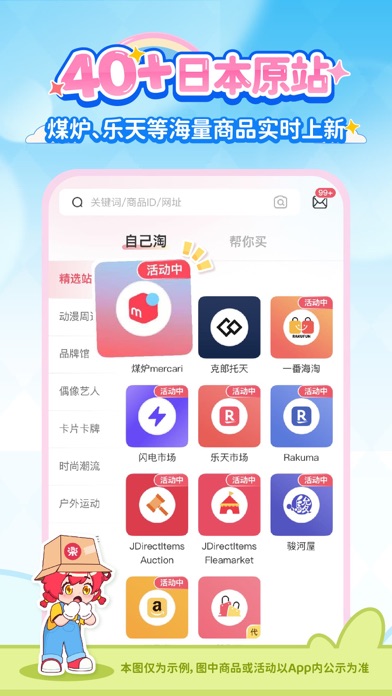


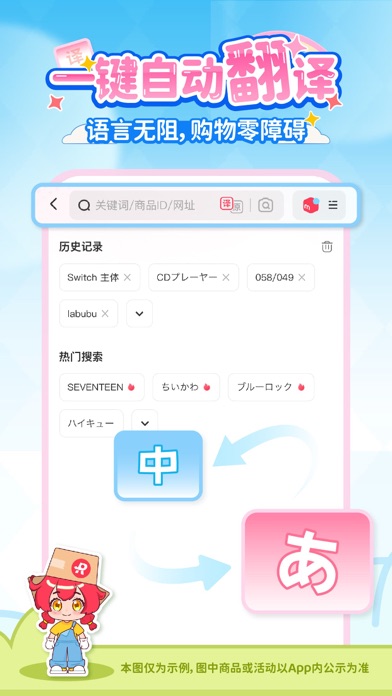
Icon palette
About this app
【0手续费!海量日淘一站畅购】 直通 Mercari、亚马逊、ZOZOTOWN、乐天、闪电市场、骏河屋、Jumpcs 等 40+ 个日本热门购物网站,丰富商品一站购齐!从二次元周边、动漫新品、明星周边,到美妆杂志、家电数码、日韩潮流单品,每日同步更新,选择多样,轻松挑选心仪好物。 【一键翻译,购物更轻松】 支持中日文一键切换、以图搜物等功能,界面简洁清晰,操作便捷。无需懂日语,也能顺畅浏览商品详情,快速找到心仪好物。 【多种物流方式,安心直达】 支持 EMS、纸飞机专线、DHL 快线等多种配送方式,可根据需求选择空运或海运。全程物流轨迹可查询,随时掌握包裹动态,购物更放心。 【价格透明,自助下单更省心】 商品价格公开透明,全程自助下单,轻松掌控每一笔花费。与日本官网同步更新,及时掌握新品动态,享受超值购物体验! 【优惠活动不断,福利持续放送】 不定期推出限时优惠与折扣活动,助您畅买无忧,天天都有新惊喜!根据您的购物习惯和兴趣,智能推荐专属好物,发现更多您喜爱的宝藏商品。 【专属客服支持,服务更贴心】 提供专属客服服务,协助解答日淘相…
App details
What you can learn from 乐淘一番-自助日淘
Every shipping app on the App Store has gone through the same decisions you're working through right now: which screenshot goes first, what caption sits over it, which device frame to show, what color the background should be. The 7 screenshots above are 乐淘一番-自助日淘's answers to those questions — they're public, they're real, and they made it through Apple's review.
What the numbers say: 乐淘一番-自助日淘 runs a light set where the background shifts from screenshot to screenshot (first shot #E4F494) — each image has to stand on its own, so the captions carry more of the story. The accent colour we picked up, #7CD4FC, is the one to reuse for badges, arrows and highlighted words if you borrow this look. Hit Use this style to open the editor with these exact colours and drop your own screenshot in.
Notice the first screenshot in particular. It's the one users see in search results and on the product page, and it's where most apps spend their best caption and tightest design. Look at the proportion of background to phone, where the text sits, what one thing the image is trying to communicate.
Want to see how other Shopping apps approach the same problem? Browse more Shopping apps in the showcase.
Take what works into your own screenshots
Open LaunchShots and design your App Store & Google Play screenshots — pick a device frame, drop captions, ship in minutes. Free, in your browser.
Open the screenshot editor →Apps with a similar look
Closest background + accent colours among the listings we've analysed — useful when you want to see the same palette handled by a different team.