Chart position — tracked daily by LaunchShots
Screenshot style breakdown
Sampled from 5 of 国会議員要覧 令和8年4月版~令和6年2月版's App Store screenshots — background, accent and theme, measured by LaunchShots (not something Apple publishes).
#FCFCFC bg
#DDDDDD
#0C345C accent
#111111 text
Reading the caption text from the screenshots in your browser…
Screenshots


iPad screenshots


Icon palette
About this app
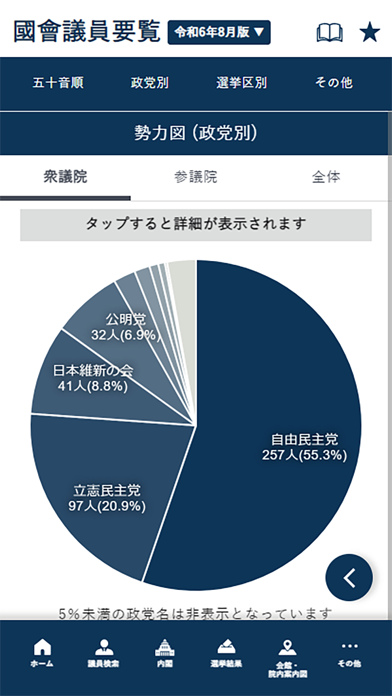
以下を収録しています。 (全版共通) ・衆参両院の全国会議員のプロフィール ・内閣一覧 ・議員会館、院内案内図 ・顔写真での議員検索機能 ・各種一覧:国会の勢力分野、大臣・秘書官・副大臣・大臣政務官・事務次官一覧、衆・参両院常任・特別委員長、委員会、各政党役員、衆・参議員議員勤続年数・当選回数表、党派別国会議員一覧、自由民衆党内派閥一覧、省庁幹部職員情報、地方庁 ・電話番号:地方庁、特殊法人、認可法人、地方共同法人、共済組合等、主要団体、労働組合、報道関係 ・国会議事堂、霞が関周辺の案内図 ・書籍付属の第一別冊・第二別冊の全ページ (令和8年4月版) ・第2次高市内閣(令和8年2月18日成立)の情報 ・選挙結果 - 衆議院 第50回総選挙 令和8年2月8日施行 - 参議院 第27回選挙 令和7年7月20日施行 - 参議院 第26回選挙 令和4年7月10日施行 ・令和8年3月現在の議員情報 ・勢力図 ・自民党出身派閥一覧 (令和7年11月版) ・第1次高市内閣(令和7年10月21日成立)の情報 ・選挙結果 - 衆議院 第49回総選挙 令和6年10月27日施…
App details
What you can learn from 国会議員要覧 令和8年4月版~令和6年2月版
Every shipping app on the App Store has gone through the same decisions you're working through right now: which screenshot goes first, what caption sits over it, which device frame to show, what color the background should be. The 10 screenshots above are 国会議員要覧 令和8年4月版~令和6年2月版's answers to those questions — they're public, they're real, and they made it through Apple's review.
What the numbers say: 国会議員要覧 令和8年4月版~令和6年2月版 runs a light set with one background colour (#FCFCFC) carried across every screenshot — the listing reads as a single poster when the shots sit side by side in search results. The accent colour we picked up, #0C345C, is the one to reuse for badges, arrows and highlighted words if you borrow this look. Hit Use this style to open the editor with these exact colours and drop your own screenshot in.
Notice the first screenshot in particular. It's the one users see in search results and on the product page, and it's where most apps spend their best caption and tightest design. Look at the proportion of background to phone, where the text sits, what one thing the image is trying to communicate.
Want to see how other Reference apps approach the same problem? Browse more Reference apps in the showcase.
Take what works into your own screenshots
Open LaunchShots and design your App Store & Google Play screenshots — pick a device frame, drop captions, ship in minutes. Free, in your browser.
Open the screenshot editor →Apps with a similar look
Closest background + accent colours among the listings we've analysed — useful when you want to see the same palette handled by a different team.