Chart position — tracked daily by LaunchShots
Screenshot changes — detected by LaunchShots
Screenshot style breakdown
Sampled from 6 of TOEIC®公式教材-TOEIC®単語・リーディング/単語's App Store screenshots — background, accent and theme, measured by LaunchShots (not something Apple publishes).
#FCFCFC bg
#DDDDDD
#24448C accent
#111111 text
Screenshots



iPad screenshots


Icon palette
About this app
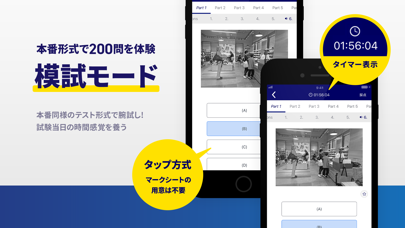
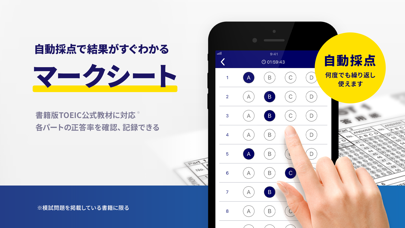
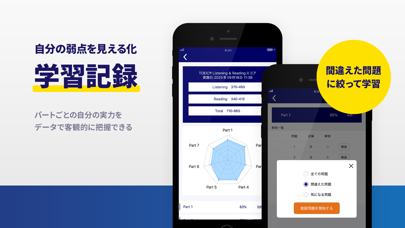
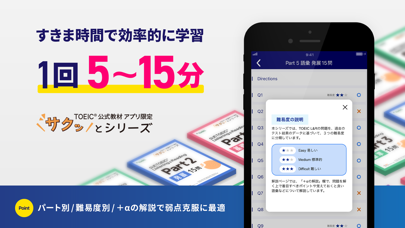
TOEICで国内唯一の公式教材アプリ。信頼できる教材で安心して学習できます。 本番と同じ問題形式で、実力を正しくチェック! すきま時間を使って、効率良く受験準備をしよう! 【TOEIC公式教材アプリの特長】 ■テストを開発しているETSが制作 テスト開発機関のETSが本番同様に制作した良質な問題だけを使用。 英語学習者から信頼いただいているTOEIC公式教材のコンテンツをベースにしたアプリ教材です。 ■時間や場所を選ばず学べる アプリ内でTOEIC公式教材の問題を解くことができます。 外出先でも時間や場所を選ばず、気軽に学習できます。 ■最新の公式教材を含むすべての音声を無料ダウンロード このアプリでは、すべてのTOEIC公式教材(全29タイトル)の音声ダウンロードが可能です。 良質な英語の音声を外出先やすきま時間に聞いて学習できます。 ■アプリのダウンロード特典として単語帳「必須の200語」を無料配布中。 英単語と日本語訳、例文を掲載。英単語の活用方法を学習できます。 ■マークシート機能 書籍版のTOEIC公式教材をお持ちの方は、アプ…
App details
What you can learn from TOEIC®公式教材-TOEIC®単語・リーディング/単語
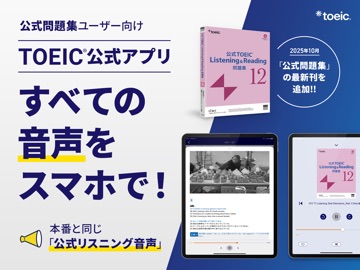
Every shipping app on the App Store has gone through the same decisions you're working through right now: which screenshot goes first, what caption sits over it, which device frame to show, what color the background should be. The 18 screenshots above are TOEIC®公式教材-TOEIC®単語・リーディング/単語's answers to those questions — they're public, they're real, and they made it through Apple's review.
What the numbers say: TOEIC®公式教材-TOEIC®単語・リーディング/単語 runs a mixed light-and-dark set where the background shifts from screenshot to screenshot (first shot #FCFCFC) — each image has to stand on its own, so the captions carry more of the story. The accent colour we picked up, #24448C, is the one to reuse for badges, arrows and highlighted words if you borrow this look. Hit Use this style to open the editor with these exact colours and drop your own screenshot in.
Notice the first screenshot in particular. It's the one users see in search results and on the product page, and it's where most apps spend their best caption and tightest design. Look at the proportion of background to phone, where the text sits, what one thing the image is trying to communicate.
Want to see how other Education apps approach the same problem? Browse more Education apps in the showcase.
Take what works into your own screenshots
Open LaunchShots and design your App Store & Google Play screenshots — pick a device frame, drop captions, ship in minutes. Free, in your browser.
Open the screenshot editor →Apps with a similar look
Closest background + accent colours among the listings we've analysed — useful when you want to see the same palette handled by a different team.