Screenshots

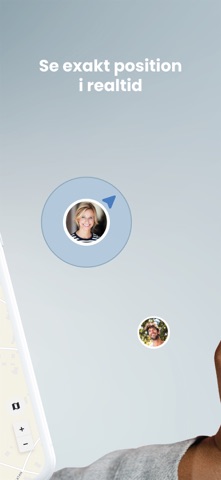


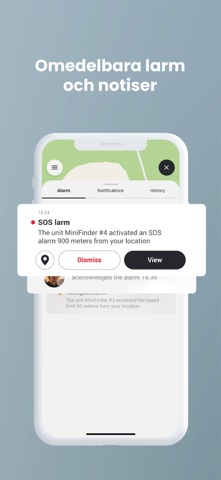

iPad screenshots



Icon palette
About this app
MiniFinder Live GPS MiniFinder Live är den ultimata appen för att positionera och hantera dina GPS-enheter och mobiltelefoner i realtid. Oavsett om du vill hålla koll på dina nära och kära, husdjur, fordon eller ditt företags tillgångar, ger MiniFinder Live dig full kontroll direkt från din mobil. Nyckelfunktioner: Live-spårning – Följ din GPS eller Mobil i realtid med exakta positioner och rörelsemönster Säkerhetszoner – Skapa geostaket och få varningar när en enhet lämnar eller går in i ett område. Historik & Rapportering – Se detaljerad rutt- och aktivitetsdata för bättre insikter. Larm & Notiser – Få omedelbara meddelanden vid SOS alarm, hastighetsöverskridelser och andra kritiska händelser. Flera enheter & Användare – Hantera flera GPS-enheter och dela åtkomst med familj eller kollegor. MiniFinder Live är utvecklad för att ge maximal trygghet och kontroll med hjälp av smart GPS…
App details
What you can learn from MiniFinder Live - GPS Tracking
Every shipping app on the App Store has gone through the same decisions you're working through right now: which screenshot goes first, what caption sits over it, which device frame to show, what color the background should be. The 11 screenshots above are MiniFinder Live - GPS Tracking's answers to those questions — they're public, they're real, and they made it through Apple's review.
Notice the first screenshot in particular. It's the one users see in search results and on the product page, and it's where most apps spend their best caption and tightest design. Look at the proportion of background to phone, where the text sits, what one thing the image is trying to communicate.
Want to see how other Navigation apps approach the same problem? Browse more Navigation apps in the showcase.
Take what works into your own screenshots
Open LaunchShots and design your App Store & Google Play screenshots — pick a device frame, drop captions, ship in minutes. Free, in your browser.
Open the screenshot editor →