Chart position — tracked daily by LaunchShots
Screenshot style breakdown
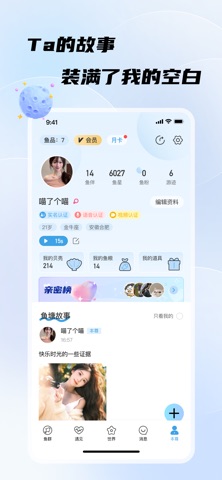
Sampled from 5 of 非鱼之乐-物换物-聊天倾诉树洞回音's App Store screenshots — background, accent and theme, measured by LaunchShots (not something Apple publishes).
#C4ECFC bg
#ACCFDD
#64CCE4 accent
#111111 text
Screenshots


Icon palette
About this app
非鱼之乐-成人倾诉聊天软件。 APP为渴望排解孤单、寻觅知心人的成人提供了一个私密而安全的聊天平台。通过匿名的方式,让每一次打开心扉都更安全、更自由。无论是夜深人静时的心事,还是百无聊赖时的苦闷,这里都是倾诉与被听见的避风港, 心事满满却无处倾诉,千言万语却不知从何说起?像小鱼那样简单,把你的心情像冒个泡一样分享出去,很快和你一样简单的有缘人便会给予你久违的回应。这里,人人都可以像水里的鱼儿一样,简单而又自由的交流。 功能介绍: 【冒个泡】把你的心情分享出去,让懂的Ta主动找你聊天。 【游一圈】在心事的海洋里自由探索,用你的简单友善去陪伴Ta。 【围观】大胆的秀出自己,不再躲藏,让更多的人发现自己看见自己。 【消息】那些遇见,无论主动亦或被动,都将变成一个个被记录、可回首的故事。 【鱼塘故事】这是一个只属于你的世界,你和你亲密的Ta的每一个动态都在这里静静等你。 【精准匹配】匹配同一时间想聊天的朋友吧。 【发动态】这里是你的主宰,你可以大胆的记录下来每一个你希望被Ta们看见的瞬间。 【亲密度】每一次付出,都被真…
App details
What you can learn from 非鱼之乐-物换物-聊天倾诉树洞回音
Every shipping app on the App Store has gone through the same decisions you're working through right now: which screenshot goes first, what caption sits over it, which device frame to show, what color the background should be. The 5 screenshots above are 非鱼之乐-物换物-聊天倾诉树洞回音's answers to those questions — they're public, they're real, and they made it through Apple's review.
What the numbers say: 非鱼之乐-物换物-聊天倾诉树洞回音 runs a light set where the background shifts from screenshot to screenshot (first shot #C4ECFC) — each image has to stand on its own, so the captions carry more of the story. The accent colour we picked up, #64CCE4, is the one to reuse for badges, arrows and highlighted words if you borrow this look. Hit Use this style to open the editor with these exact colours and drop your own screenshot in.
Notice the first screenshot in particular. It's the one users see in search results and on the product page, and it's where most apps spend their best caption and tightest design. Look at the proportion of background to phone, where the text sits, what one thing the image is trying to communicate.
Want to see how other Social Networking apps approach the same problem? Browse more Social Networking apps in the showcase.
Take what works into your own screenshots
Open LaunchShots and design your App Store & Google Play screenshots — pick a device frame, drop captions, ship in minutes. Free, in your browser.
Open the screenshot editor →Apps with a similar look
Closest background + accent colours among the listings we've analysed — useful when you want to see the same palette handled by a different team.