Screenshot style breakdown
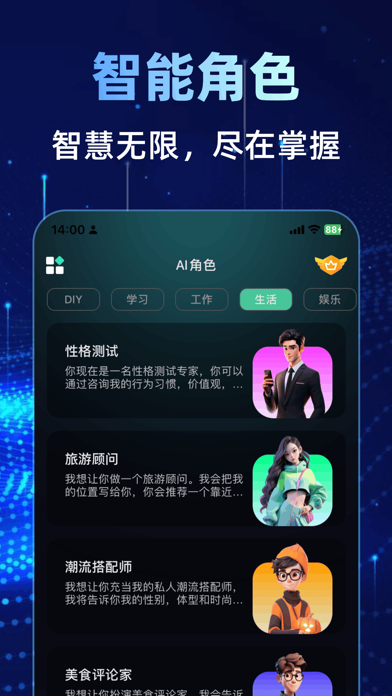
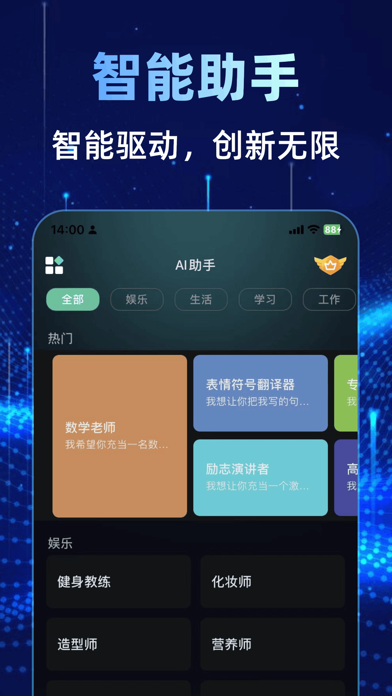
Sampled from 4 of ChatGP5.0-官方正版AI人工智能聊天机器人's App Store screenshots — background, accent and theme, measured by LaunchShots (not something Apple publishes).
#041444 bg
#27345E
#C4A454 accent
#FFFFFF text
Screenshots


Icon palette
About this app
一个革命性的智能AI应用,旨在通过高级对话界面提升您的生活和工作效率。AI人工智能结合了最新的人工智能技术,为您提供广泛的个性化服务,从日常对话到专业内容创作,无所不能。 主要功能包括: 【对话】快捷输入,快问快答,实时咨询; 【工具箱】包含生活、工作、学习、自定义等多种AI工具辅助模块; 【绘画】以文绘图、图生图等; 【语音对话】直接实时语音问答对话。 特色亮点: AI个性化体验: AI通过学习您的偏好和习惯,AI人工助理能够提供更加个性化的服务。 随时随地: 无论您身处何地,只需打开AI人工助理,即可享受即时的AI助理服务。 隐私保护: 我们重视您的隐私。所有对话都经过加密处理,确保您的信息安全。 订阅服务: - 用户通过付费订阅后可免费使用AI聊天无限次,AI写作,写小说等高级功能订阅后可使用。 - 订阅的金额分别为:连续包年会员(1年),价格168/年;连续包月会员(1个月),价格68/月;连续包周会员(1周),价格38/周。 - 用户可在当前订阅结束 24 小时前关闭自动续订,否则将自动续订;自动续期订阅的 Apple ID,会在每个…
App details
What you can learn from ChatGP5.0-官方正版AI人工智能聊天机器人
Every shipping app on the App Store has gone through the same decisions you're working through right now: which screenshot goes first, what caption sits over it, which device frame to show, what color the background should be. The 4 screenshots above are ChatGP5.0-官方正版AI人工智能聊天机器人's answers to those questions — they're public, they're real, and they made it through Apple's review.
What the numbers say: ChatGP5.0-官方正版AI人工智能聊天机器人 runs a dark set where the background shifts from screenshot to screenshot (first shot #041444) — each image has to stand on its own, so the captions carry more of the story. The accent colour we picked up, #C4A454, is the one to reuse for badges, arrows and highlighted words if you borrow this look. Hit Use this style to open the editor with these exact colours and drop your own screenshot in.
Notice the first screenshot in particular. It's the one users see in search results and on the product page, and it's where most apps spend their best caption and tightest design. Look at the proportion of background to phone, where the text sits, what one thing the image is trying to communicate.
Want to see how other Utilities apps approach the same problem? Browse more Utilities apps in the showcase.
Take what works into your own screenshots
Open LaunchShots and design your App Store & Google Play screenshots — pick a device frame, drop captions, ship in minutes. Free, in your browser.
Open the screenshot editor →Apps with a similar look
Closest background + accent colours among the listings we've analysed — useful when you want to see the same palette handled by a different team.