Chart position — tracked daily by LaunchShots
Screenshot changes — detected by LaunchShots
Screenshot style breakdown
Sampled from 5 of モンスターストライク's App Store screenshots — background, accent and theme, measured by LaunchShots (not something Apple publishes).
#F4FCFC bg
#D6DDDD
#24ACFC accent
#111111 text
Reading the caption text from the screenshots in your browser…
Screenshots


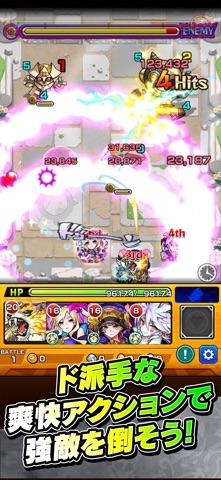

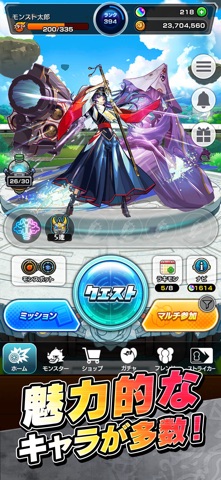
iPad screenshots


Icon palette
About this app
◆祝・国内利用者5000万人突破!/テレビCM絶賛放映中!◆ 最大4人同時に楽しめる「ひっぱりハンティングRPG!」 モンスターマスターになって様々な能力を持つモンスターをたくさん集めよう! 1000種類を超える個性豊かなモンスターが君を待ってるぞ! 【ゲーム紹介】 ▼ルールは簡単 モンスターを引っぱって敵に当てるだけ! 味方モンスターに当てると、友情コンボが発動! 一見攻撃力の弱いモンスターもコンボが発動すると、意外な力を発揮するかも!? ▼決めろストライクショット! バトルのターンが経過すると必殺技「ストライクショット」が使えるぞ! モンスターによって技は様々、君はすぐ使う派?ボスまで待つ派? 使うタイミングが生死を分ける!? ▼集めて育てて強くなれ! バトルやガチャでGetしたモンスターを合成して育てよう! 強く進化させるにはモンスター以外に進化素材が必要になるぞ。 強いモンスターを育てて君だけの最強チームを作ろう! ▼天空より舞い降りし、異界のモンスター! ボスがステージの最後に出るとは限らないぞ! …
App details
What you can learn from モンスターストライク
Every shipping app on the App Store has gone through the same decisions you're working through right now: which screenshot goes first, what caption sits over it, which device frame to show, what color the background should be. The 10 screenshots above are モンスターストライク's answers to those questions — they're public, they're real, and they made it through Apple's review.
What the numbers say: モンスターストライク runs a mixed light-and-dark set where the background shifts from screenshot to screenshot (first shot #F4FCFC) — each image has to stand on its own, so the captions carry more of the story. The accent colour we picked up, #24ACFC, is the one to reuse for badges, arrows and highlighted words if you borrow this look. Hit Use this style to open the editor with these exact colours and drop your own screenshot in.
Notice the first screenshot in particular. It's the one users see in search results and on the product page, and it's where most apps spend their best caption and tightest design. Look at the proportion of background to phone, where the text sits, what one thing the image is trying to communicate.
Want to see how other Games apps approach the same problem? Browse more Games apps in the showcase.
Take what works into your own screenshots
Open LaunchShots and design your App Store & Google Play screenshots — pick a device frame, drop captions, ship in minutes. Free, in your browser.
Open the screenshot editor →Apps with a similar look
Closest background + accent colours among the listings we've analysed — useful when you want to see the same palette handled by a different team.