Chart position — tracked daily by LaunchShots
Screenshot changes — detected by LaunchShots
Screenshot style breakdown
Sampled from 6 of GenK: Allgemeinwissen Quiz's App Store screenshots — background, accent and theme, measured by LaunchShots (not something Apple publishes).
#FCCC04 bg
#DDB303
#4C2C04 accent
#111111 text
Screenshots


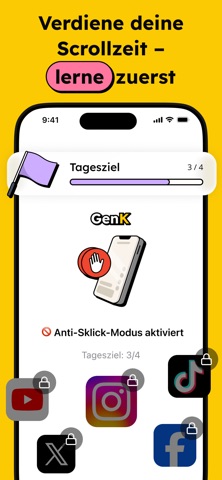


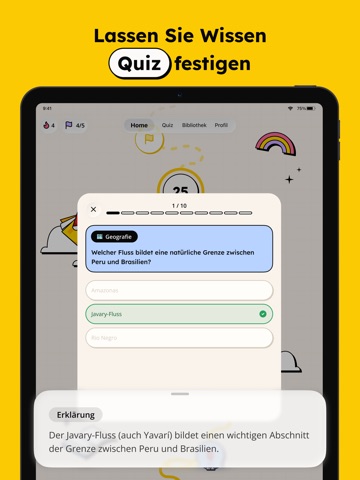
iPad screenshots




Icon palette
About this app
Was, wenn dich Scrollen tatsächlich klüger macht? Mit GenK verwandelst du deine Bildschirmzeit in Wissen. Lerne jeden Tag etwas Neues in nur 2 Minuten, und tauche tiefer ein, wenn dich ein Thema packt. Von Geschichte bis Wissenschaft, von Kunst bis Gesellschaft, entdecke Ideen, die du dir wirklich merkst. EIN SPIELERISCHER LERNPFAD, DER DICH SCHRITT FÜR SCHRITT BEGLEITET • Folge einem klaren, fesselnden Weg, der das Lernen einfach macht • Schalte neue Schritte frei, während du vorankommst • Bleib motiviert und sieh, wie dein Wissen wächst QUIZZE: NICHT NUR LERNEN, SONDERN BEHALTEN • Teste dein Wissen direkt nach jeder Lektion • Stell dich themenbezogenen Quizzen, die all dein Gelerntes umfassen • Wiederhole mit Quizzen, um mit der Zeit nichts zu vergessen • Verstehe deine Fehler mit klaren Erklärungen • Mach aus kurzem Lernen langfristiges Wissen 2 MINUTEN PRO LEKTION, TIEFER WENN DU…
App details
What you can learn from GenK: Allgemeinwissen Quiz
Every shipping app on the App Store has gone through the same decisions you're working through right now: which screenshot goes first, what caption sits over it, which device frame to show, what color the background should be. The 20 screenshots above are GenK: Allgemeinwissen Quiz's answers to those questions — they're public, they're real, and they made it through Apple's review.
What the numbers say: GenK: Allgemeinwissen Quiz runs a light set with one background colour (#FCCC04) carried across every screenshot — the listing reads as a single poster when the shots sit side by side in search results. The accent colour we picked up, #4C2C04, is the one to reuse for badges, arrows and highlighted words if you borrow this look. Hit Use this style to open the editor with these exact colours and drop your own screenshot in.
Notice the first screenshot in particular. It's the one users see in search results and on the product page, and it's where most apps spend their best caption and tightest design. Look at the proportion of background to phone, where the text sits, what one thing the image is trying to communicate.
Want to see how other Education apps approach the same problem? Browse more Education apps in the showcase.
Take what works into your own screenshots
Open LaunchShots and design your App Store & Google Play screenshots — pick a device frame, drop captions, ship in minutes. Free, in your browser.
Open the screenshot editor →Apps with a similar look
Closest background + accent colours among the listings we've analysed — useful when you want to see the same palette handled by a different team.