Chart position — tracked daily by LaunchShots
Screenshot changes — detected by LaunchShots
Screenshot style breakdown
Sampled from 5 of Chúa Công Chạy Mau - 3Q's App Store screenshots — background, accent and theme, measured by LaunchShots (not something Apple publishes).
#FCF4EC bg
#DDD6CF
#7CA444 accent
#111111 text
Screenshots

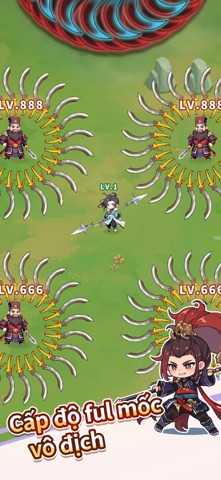


iPad screenshots


Icon palette
About this app
Quyết định phê duyệt nội dung kịch bản trò chơi điện tử G1 trên mạng số: 2012/QĐ-BTTTT cấp ngày 19/11/2024. Game "Chúa Công Chạy Mau" được mong đợi từ lâu đã chính thức ra mắt! Chào mừng tất cả người chơi tham gia vào bộ tộc Tam Quốc của chúng ta. Ngoài ra, còn có rất nhiều phúc lợi trong trò chơi đang chờ bạn nhận! Hãy nhanh chóng đăng nhập vào trò chơi và trải nghiệm thế giới Tam Quốc khác! "Chúa Công Chạy Mau" là một tựa game thẻ bài giải trí lấy bối cảnh Tam Quốc. Trong game, bạn sẽ sát cánh cùng các danh tướng lịch sử như Trương Phi, Quan Vũ, Hoàng Trung,... để viết nên câu chuyện Tam Quốc của riêng mình. Game không chỉ yêu cầu chiến thuật và trí tuệ mà còn mang đến trải nghiệm chơi game siêu nhàn, giúp bạn thu thập tài nguyên ngay cả khi offline. [Đối đầu chiến thuật] Mỗi trận đấu đều đầy ắp chiến lược và kịch tính. Kết hợp sức mạnh và trí tuệ, chiến thắng sẽ là minh chứng cho t…
App details
What you can learn from Chúa Công Chạy Mau - 3Q
Every shipping app on the App Store has gone through the same decisions you're working through right now: which screenshot goes first, what caption sits over it, which device frame to show, what color the background should be. The 8 screenshots above are Chúa Công Chạy Mau - 3Q's answers to those questions — they're public, they're real, and they made it through Apple's review.
What the numbers say: Chúa Công Chạy Mau - 3Q runs a light set where the background shifts from screenshot to screenshot (first shot #FCF4EC) — each image has to stand on its own, so the captions carry more of the story. The accent colour we picked up, #7CA444, is the one to reuse for badges, arrows and highlighted words if you borrow this look. Hit Use this style to open the editor with these exact colours and drop your own screenshot in.
Notice the first screenshot in particular. It's the one users see in search results and on the product page, and it's where most apps spend their best caption and tightest design. Look at the proportion of background to phone, where the text sits, what one thing the image is trying to communicate.
Want to see how other Games apps approach the same problem? Browse more Games apps in the showcase.
Take what works into your own screenshots
Open LaunchShots and design your App Store & Google Play screenshots — pick a device frame, drop captions, ship in minutes. Free, in your browser.
Open the screenshot editor →Apps with a similar look
Closest background + accent colours among the listings we've analysed — useful when you want to see the same palette handled by a different team.