Screenshots



Icon palette
About this app
DeepPiano – Your Music AI Assistant The iPhone moment of music has arrived. DeepPiano is redefining how humans learn music, create music, and perform music. Created by National Piano Competition Silver Medalist and Tsinghua University AI Scientist Xia Yu, DeepPiano embodies the dual soul of a concert pianist and an elite AI engineer — a musical revolution written in code. --- Product Overview DeepPiano is the world’s first large-scale AI assistant that truly understands music. Powered by the self-developed Ode (Tianlai) Music Large Model, trained on millions of audio recordings, sheet music, text, and visual data, DeepPiano goes beyond sound recognition. It understands musical intention. It doesn’t just hear your notes, it understands your struggles, guides your progress, and practices with you like a personal music mentor. --- Core Features Intelligent Score Library | Search by Pla…
App details
What you can learn from DeepPiano - Sheet Music & AI
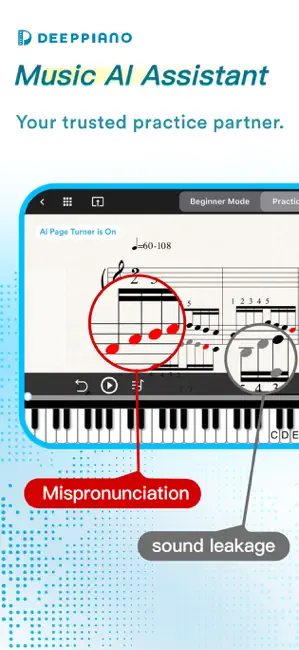
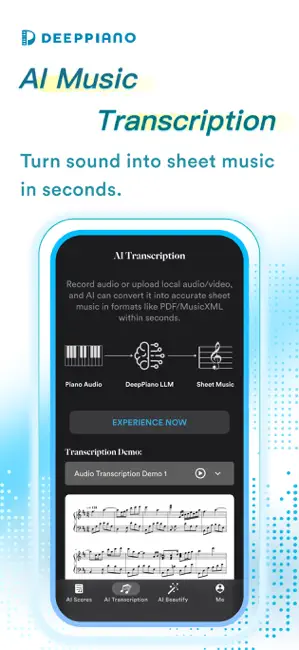
Every shipping app on the App Store has gone through the same decisions you're working through right now: which screenshot goes first, what caption sits over it, which device frame to show, what color the background should be. The 6 screenshots above are DeepPiano - Sheet Music & AI's answers to those questions — they're public, they're real, and they made it through Apple's review.
Notice the first screenshot in particular. It's the one users see in search results and on the product page, and it's where most apps spend their best caption and tightest design. Look at the proportion of background to phone, where the text sits, what one thing the image is trying to communicate.
Want to see how other Music apps approach the same problem? Browse more Music apps in the showcase.
Take what works into your own screenshots
Open LaunchShots and design your App Store & Google Play screenshots — pick a device frame, drop captions, ship in minutes. Free, in your browser.
Open the screenshot editor →