Screenshots


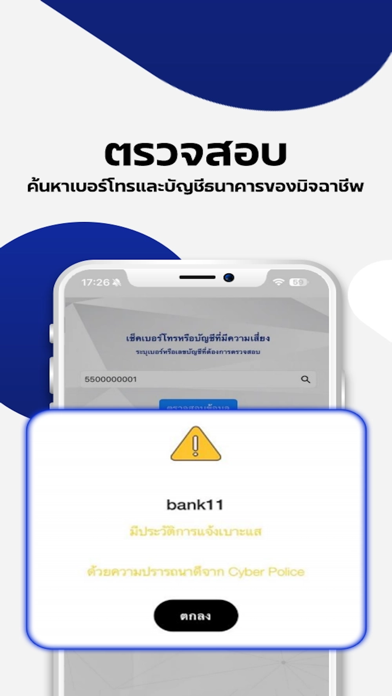


iPad screenshots


Icon palette
About this app
เราคือใคร เราคือ กองบัญชาการตำรวจสืบสวนสอบสวนอาชญากรรมทางเทคโนโลยี (Cyber Crime Investigation Bureau : CCIB) หรือสามารถเรียกสั้นๆ ได้ว่า กองบัญชาการตำรวจสืบสวนสอบสวนอาชญากรรมทางเทคโนโลยี ถูกจัดตั้งขึ้นเมื่อวันที่ 9 กันยายน 2563 ตามพระราชกฤษฎีกาแบ่งส่วนราชการสำนักงานตำรวจแห่งชาติ (ฉบับที่ 5) พ.ศ. 2563 ในอดีตสำนักงานตำรวจแห่งชาติมีส่วนราชการระดับ "กองบังคับการ" ทำหน้าที่ในการป้องกันและปราบปรามอาชญากรรมทางเทคโนโลยีกระจายอยู่ในหลายหน่วยงานอยู่แล้ว แต่เนื่องด้วยการก่ออาชญากรรมทางเทคโนโลยีมีแนวโน้มเพิ่มขึ้นสูง และมีผู้ได้รับความเสียหายมากขึ้น ในเมื่อมิจฉาชีพมีการปรับตัวตามยุคตามสมัย ใช้เทคโนโลยีต่างๆ เพื่อสร้างความเสียหายให้แก่ผู้คนสำนักงานตำรวจแห่งชาติจึงต้องมีการปรับตัวช่นกัน เพื่อสืบสวนสอบสวน และช่วยเหลือผู้เสียหายที่ประสบกับเหล่าอาชญากรรมทางเทคโนโลยี สำนักงานตำรวจแห่งชาติจึงมีควาจำเป็นต้องปรับปรุงหน่วยงานป้องกันและปราบปรามอาชญากรรมทางเทคโนโลยี และจัดตั้งขึ้นเป็น กองบัญชาการตำรวจ…
App details
What you can learn from Cyber Check
Every shipping app on the App Store has gone through the same decisions you're working through right now: which screenshot goes first, what caption sits over it, which device frame to show, what color the background should be. The 15 screenshots above are Cyber Check's answers to those questions — they're public, they're real, and they made it through Apple's review.
Notice the first screenshot in particular. It's the one users see in search results and on the product page, and it's where most apps spend their best caption and tightest design. Look at the proportion of background to phone, where the text sits, what one thing the image is trying to communicate.
Want to see how other Utilities apps approach the same problem? Browse more Utilities apps in the showcase.
Take what works into your own screenshots
Open LaunchShots and design your App Store & Google Play screenshots — pick a device frame, drop captions, ship in minutes. Free, in your browser.
Open the screenshot editor →