Chart position — tracked daily by LaunchShots
Screenshot changes — detected by LaunchShots
Screenshot style breakdown
Sampled from 6 of Госуслуги Моя школа's App Store screenshots — background, accent and theme, measured by LaunchShots (not something Apple publishes).
#FCFCFC bg
#DDDDDD
#1474EC accent
#111111 text
Screenshots




Icon palette
About this app
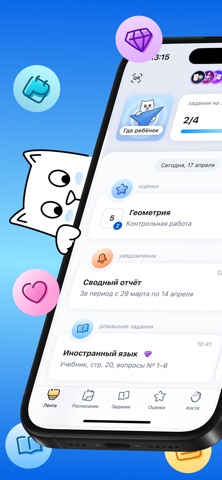
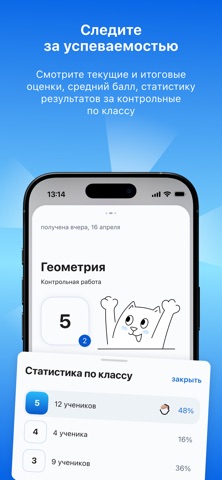
«Госуслуги Моя школа» — приложение для школьников, студентов колледжей и родителей. Следите за расписанием, оценками, домашними заданиями Единое расписание Создавайте собственные события и добавляйте к школьному расписанию — уроки, репетиторы и кружки на одном экране Лента событий Всё за день — на главном экране: новые оценки, задания и изменения в расписании. Рядом сторис — подборки, анонсы и советы по учёбе Учёба под контролем Проверяйте результаты контрольных, динамику среднего балла и итоговые оценки. Следите за прогрессом домашних заданий — ребёнок отмечает сделанное, вы видите результат. А расписание и задания можно узнавать голосом — через навык Алисы: скажите «Алиса, запусти навык „Госуслуги Моя школа“» Материалы к урокам Домашние задания открываются вместе с материалами учителя и заданиями Универсальной библиотеки цифрового образовательного контента — всё нужное для выполне…
App details
What you can learn from Госуслуги Моя школа
Every shipping app on the App Store has gone through the same decisions you're working through right now: which screenshot goes first, what caption sits over it, which device frame to show, what color the background should be. The 9 screenshots above are Госуслуги Моя школа's answers to those questions — they're public, they're real, and they made it through Apple's review.
What the numbers say: Госуслуги Моя школа runs a mixed light-and-dark set where the background shifts from screenshot to screenshot (first shot #FCFCFC) — each image has to stand on its own, so the captions carry more of the story. The accent colour we picked up, #1474EC, is the one to reuse for badges, arrows and highlighted words if you borrow this look. Hit Use this style to open the editor with these exact colours and drop your own screenshot in.
Notice the first screenshot in particular. It's the one users see in search results and on the product page, and it's where most apps spend their best caption and tightest design. Look at the proportion of background to phone, where the text sits, what one thing the image is trying to communicate.
Want to see how other Education apps approach the same problem? Browse more Education apps in the showcase.
Take what works into your own screenshots
Open LaunchShots and design your App Store & Google Play screenshots — pick a device frame, drop captions, ship in minutes. Free, in your browser.
Open the screenshot editor →Apps with a similar look
Closest background + accent colours among the listings we've analysed — useful when you want to see the same palette handled by a different team.