Chart position — tracked daily by LaunchShots
Screenshot changes — detected by LaunchShots
Screenshot style breakdown
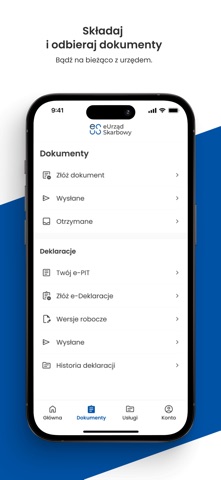
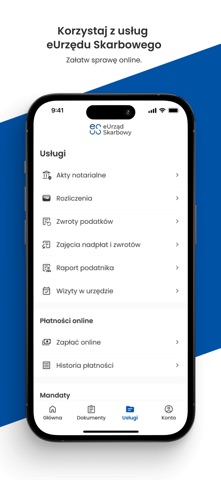
Sampled from 5 of eUrząd Skarbowy's App Store screenshots — background, accent and theme, measured by LaunchShots (not something Apple publishes).
#FCFCFC bg
#DDDDDD
#0454A4 accent
#111111 text
Screenshots



Icon palette
About this app
eUrząd Skarbowy – oficjalna aplikacja Ministerstwa Finansów – umożliwia bezpieczne, szybkie i wygodne załatwianie spraw urzędowych online. Potrzebujesz zaświadczenia, chcesz złożyć deklarację, udzielić pełnomocnictwa, sprawdzić swoje rozliczenia z urzędem czy zapłacić podatek lub mandat? Nic prostszego! Nasza aplikacja ułatwi Ci załatwienie tych i wielu innych spraw, zawsze kiedy tego potrzebujesz. Zarządzaj swoimi dokumentami, aktualizuj dane, wyrażaj zgodę na e-Korespondencję oraz wysyłaj i odbieraj dokumenty w formie elektronicznej. Pobierz, zainstaluj i aktywuj aplikację eUrząd Skarbowy na swoim smartfonie, aby w pełni korzystać z jej możliwości. Po aktywacji możesz logować się szybko i bezpiecznie za pomocą kodu PIN lub biometrii (odcisk palca / rozpoznawanie twarzy). Dzięki aplikacji możesz: • Weryfikować na bieżąco salda i szczegóły rozliczeń zobowiązań podatkowych; …
App details
What you can learn from eUrząd Skarbowy
Every shipping app on the App Store has gone through the same decisions you're working through right now: which screenshot goes first, what caption sits over it, which device frame to show, what color the background should be. The 5 screenshots above are eUrząd Skarbowy's answers to those questions — they're public, they're real, and they made it through Apple's review.
What the numbers say: eUrząd Skarbowy runs a mixed light-and-dark set where the background shifts from screenshot to screenshot (first shot #FCFCFC) — each image has to stand on its own, so the captions carry more of the story. The accent colour we picked up, #0454A4, is the one to reuse for badges, arrows and highlighted words if you borrow this look. Hit Use this style to open the editor with these exact colours and drop your own screenshot in.
Notice the first screenshot in particular. It's the one users see in search results and on the product page, and it's where most apps spend their best caption and tightest design. Look at the proportion of background to phone, where the text sits, what one thing the image is trying to communicate.
Want to see how other Finance apps approach the same problem? Browse more Finance apps in the showcase.
Take what works into your own screenshots
Open LaunchShots and design your App Store & Google Play screenshots — pick a device frame, drop captions, ship in minutes. Free, in your browser.
Open the screenshot editor →Apps with a similar look
Closest background + accent colours among the listings we've analysed — useful when you want to see the same palette handled by a different team.