Chart position — tracked daily by LaunchShots
Screenshot changes — detected by LaunchShots
Screenshot style breakdown
Sampled from 5 of Vbee AIVoice - Text To Speech's App Store screenshots — background, accent and theme, measured by LaunchShots (not something Apple publishes).
#FCFCFC bg
#DDDDDD
#1C1C5C accent
#111111 text
- #1Cong cu chuyền văn bản thành giọng nói
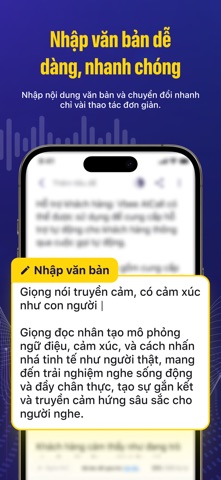
- #2dang, nhanh chóng Nhập nội dung văn bản và chuyền đồi nhanh chỉ vài thao tác đơn giản.
- #3Giong nói truyền cảm, có cam xúc như con người Trải nghiệm nghe sống động và đầy chân
- #4hơn 200 giọng nói Al Giọng đọc AI đa ngôn ngữ, đa vùng miền, phù hợp với nhiều mục đích sử
- #5Dé dang theo dõi tiến trình chuyền đổi văn ban Thêm văn bản và chuyển đổi, sau đó theo dõi
Captions read from the screenshots (OCR, may contain small errors): 5 headlines, 17 words on average (longest 21).
Screenshots



Icon palette
About this app
Vbee AIVoice: Công cụ chuyển văn bản thành giọng nói AI hàng đầu Với công nghệ AI tiên tiến, Vbee AIVoice mang đến giọng nói tự nhiên, có cảm xúc như người thật, giúp nội dung của bạn trở nên sống động và cuốn hút hơn. Dễ dàng tạo audio chuyên nghiệp chỉ trong vài giây, tiết kiệm đến 90% thời gian & chi phí so với thu âm truyền thống. Vbee AIVoice có gì? - Hơn 700 giọng AI đa dạng, hỗ trợ 50+ ngôn ngữ, nổi bật với giọng tiếng Việt chất lượng cao. - Giọng đọc tự nhiên, giàu cảm xúc, dễ dàng điều chỉnh tốc độ đọc, nhấn nhá linh hoạt - Công nghệ nhân bản giọng (Voice Cloning) tiên tiến giúp sao chép giọng nói của chính bạn với độ chân thực cao. - Thư viện giọng cộng đồng phong phú, cho phép người dùng chia sẻ và tạo ra thu nhập thụ động từ chính giọng nói AI của mình. - Giao diện đơn giản, thân thiện, dễ sử dụng chỉ với vài bước: Nhập văn bản → Chọn giọng đọc → Chuyển đổi → Có ngay file…
App details
What you can learn from Vbee AIVoice - Text To Speech
Every shipping app on the App Store has gone through the same decisions you're working through right now: which screenshot goes first, what caption sits over it, which device frame to show, what color the background should be. The 5 screenshots above are Vbee AIVoice - Text To Speech's answers to those questions — they're public, they're real, and they made it through Apple's review.
What the numbers say: Vbee AIVoice - Text To Speech runs a mixed light-and-dark set where the background shifts from screenshot to screenshot (first shot #FCFCFC) — each image has to stand on its own, so the captions carry more of the story. The accent colour we picked up, #1C1C5C, is the one to reuse for badges, arrows and highlighted words if you borrow this look. Hit Use this style to open the editor with these exact colours and drop your own screenshot in.
Notice the first screenshot in particular. It's the one users see in search results and on the product page, and it's where most apps spend their best caption and tightest design. Look at the proportion of background to phone, where the text sits, what one thing the image is trying to communicate.
Want to see how other Utilities apps approach the same problem? Browse more Utilities apps in the showcase.
Take what works into your own screenshots
Open LaunchShots and design your App Store & Google Play screenshots — pick a device frame, drop captions, ship in minutes. Free, in your browser.
Open the screenshot editor →Apps with a similar look
Closest background + accent colours among the listings we've analysed — useful when you want to see the same palette handled by a different team.